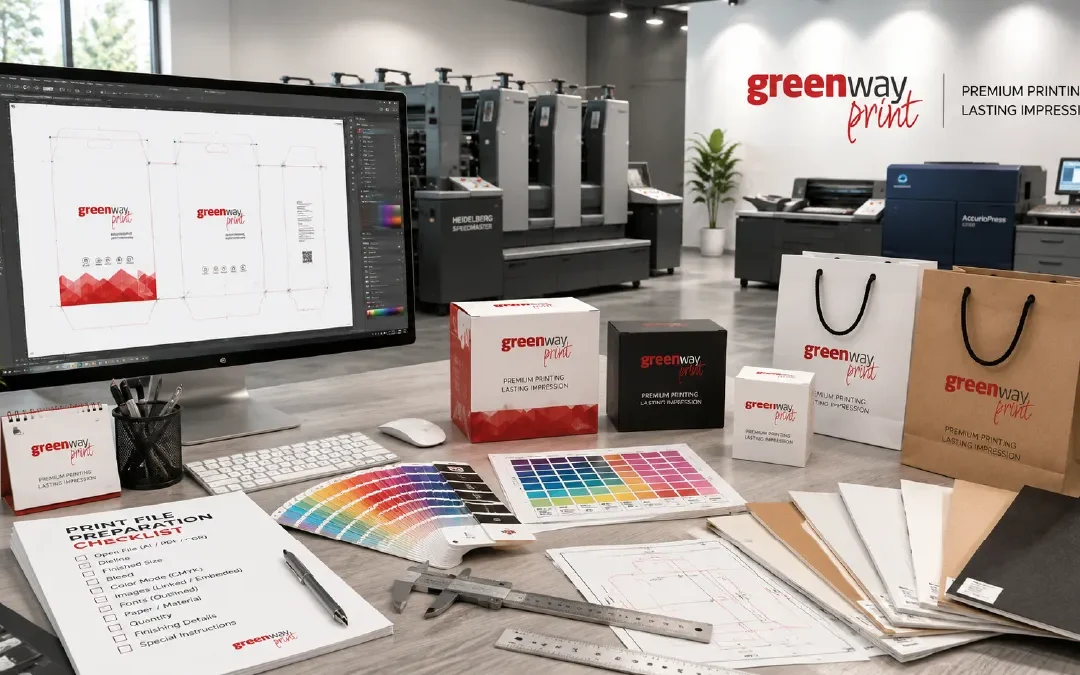
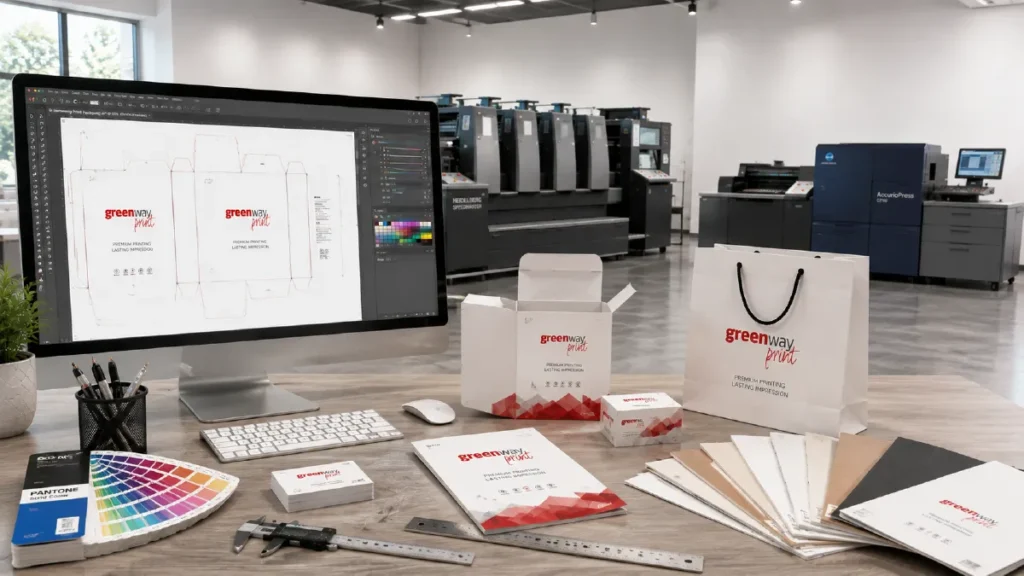
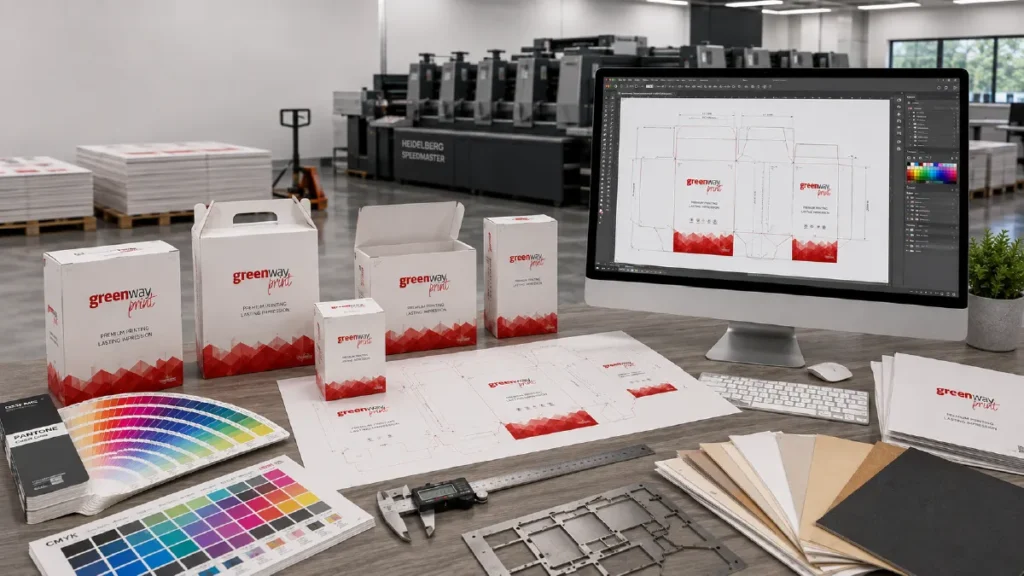
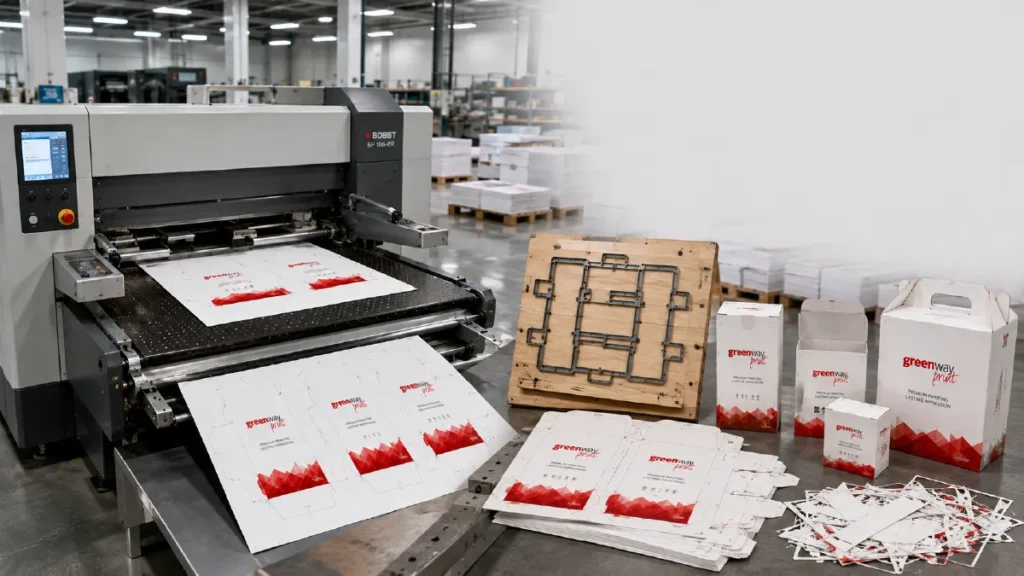
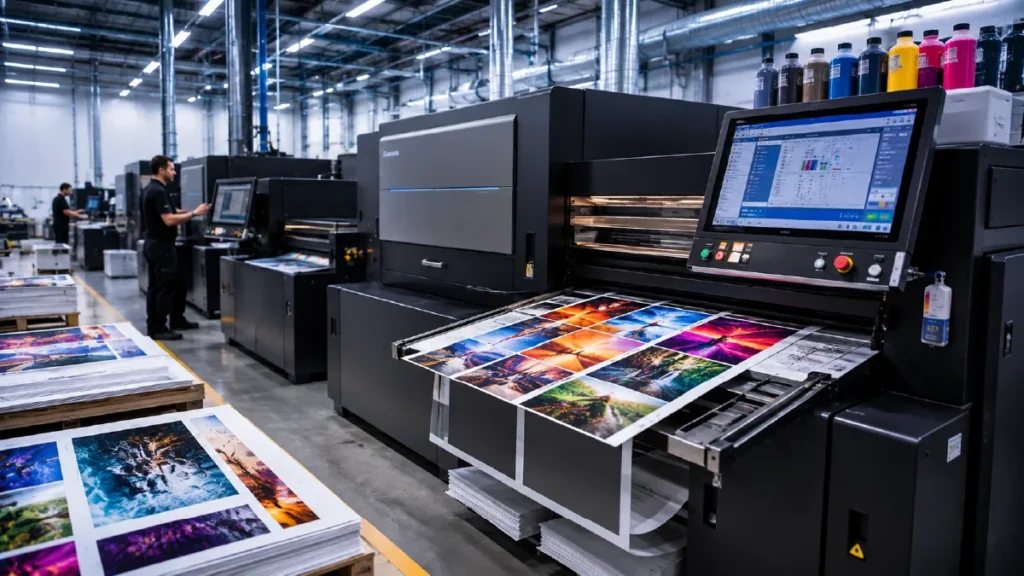
Print File Preparation Checklist is one of the most important resources for anyone planning a custom printing project. Whether you need packaging boxes, paper bags, brochures, business cards, labels, or other printed products, providing the correct information before requesting a quotation can save both time and money.
One of the most common questions printing companies receive is, “How much will it cost to print this?” Unfortunately, there isn’t a fixed answer.
An accurate quotation depends on much more than the product itself. The final price is influenced by factors such as the artwork, dimensions, packaging dieline, material type, paper thickness, quantity, finishing options, and even the production method. Without these details, any price provided is only an estimate—not an actual quotation.
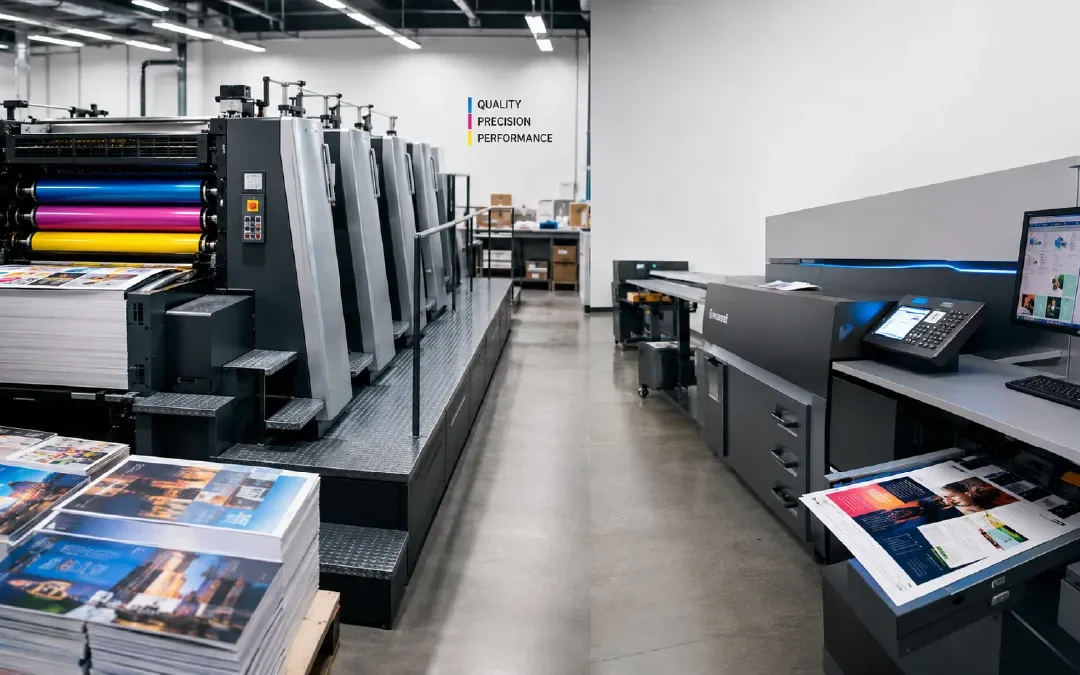
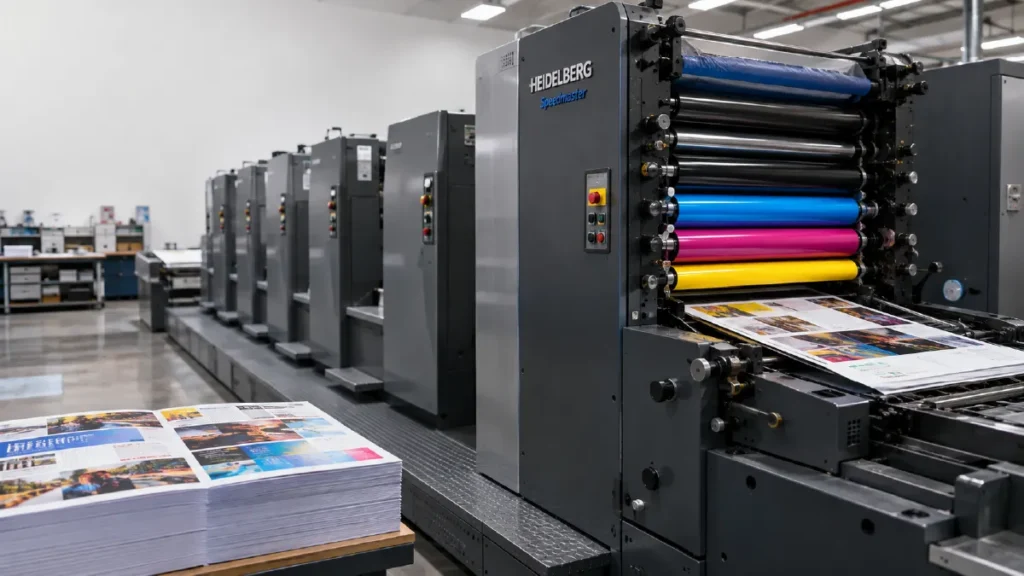
For example, two packaging boxes may look almost identical, yet one could be produced on a Heidelberg Speedmaster 70 press while the other requires a 48 × 33-inch offset press due to its layout and sheet utilization. Likewise, an order for 200 pieces may be more economical with digital printing, while 20,000 pieces will usually be better suited for offset production. The printing method, machine selection, plate-making, die manufacturing, and material consumption all depend on the technical details of your project.
In this guide, you’ll learn exactly what information a commercial printing company needs before preparing an accurate quotation. By following this checklist, you’ll avoid delays, receive more precise pricing, and ensure your project moves smoothly from design to production.
Why an Open Design File Is Essential for an Accurate Printing Quote
Why an Open Design File Matters
One of the biggest misconceptions in commercial printing is that a quotation can be prepared using only a product name and quantity.
For example, a customer might ask:
“I need 2,000 paper bags. What’s the price?”
Unfortunately, there isn’t a single answer.
Before any professional printing company can provide an accurate quotation, the artwork must be reviewed. An open design file allows the production team to evaluate the project’s technical requirements instead of relying on assumptions.
Without the original artwork, every quotation is only an estimate.
An open design file is the editable source file created in professional design software. Unlike a JPG or PNG image, it contains all of the production information needed for commercial printing.
Common file formats include:
Adobe Illustrator (.AI)
CorelDRAW (.CDR)
Adobe InDesign (.INDD)
Adobe Photoshop (.PSD)
Print-ready PDF (when prepared correctly)
These files allow the prepress team to inspect every element before production begins.
What Does the Printing Team Check?
When your artwork is received, it goes through a technical review before pricing is calculated.
The production team checks:
Finished product dimensions
Packaging dieline
Bleed and safety margins
Color mode (CMYK)
Font outlines or embedded fonts
Linked images and their resolution
Paper utilization
Folding and glue areas
Finishing requirements
Overall printability
Every one of these details directly affects production planning and the final quotation.
Why a JPG or Screenshot Isn’t Enough
Many customers send a screenshot from WhatsApp or a low-resolution JPG and expect an exact quotation.
While these files are useful for understanding the general design, they don’t provide the technical information required for production.
A JPG doesn’t reveal:
The actual package dimensions
Bleed settings
Fold lines
Glue flaps
Paper layout
Vector artwork
Editable text
Production specifications
Without this information, it’s impossible to calculate material consumption, machine utilization, or production costs accurately.
A Small Difference Can Significantly Change the Price
Two packaging boxes may appear identical on screen, but their production requirements can be completely different.
For example, increasing the box width by just a few millimeters may reduce the number of layouts that fit on a printing sheet. As a result, more paper is required, material waste increases, and a different press size may become the better production choice.
This is why professional printers always review the open artwork before preparing a quotation.
Providing a complete design file from the beginning helps avoid unnecessary revisions, speeds up the quotation process, and ensures that the price you receive reflects the actual production requirements of your project.
Packaging Dielines: The Hidden Factor That Affects Your Printing Cost
Why a Packaging Dieline Is More Important Than You Think
When customers request a quotation for a custom box, many assume that providing the product dimensions is enough. In reality, a printing company cannot calculate an accurate price without reviewing the packaging dieline.
A dieline is the production blueprint of your packaging. It defines how the box will be printed, cut, folded, glued, and assembled. More importantly, it determines how efficiently the artwork fits on a printing sheet, which directly impacts paper consumption, machine selection, and the overall production cost.
Without a dieline, every quotation is only an approximation.
What Information Does a Dieline Include?
A professionally prepared dieline contains all of the technical details required for manufacturing, including:
Finished box dimensions
Cut lines
Fold (crease) lines
Glue flaps
Safety margins
Bleed area
Locking tabs
Material direction (grain direction, when required)
Production tolerances
These details allow the prepress team to prepare an accurate layout before production begins.
Why Two Boxes of the Same Size May Have Different Prices
This is one of the most common misunderstandings in commercial printing.
Imagine two packaging boxes with identical finished dimensions.
At first glance, they appear to be exactly the same.
However, one box may include a larger glue flap, an automatic lock bottom, or additional folding panels. These small structural differences increase the overall dieline size, reducing the number of layouts that fit on each printing sheet.
As a result:
More paper is required.
Material waste increases.
Production efficiency decreases.
The final printing cost becomes higher.
This is why experienced printing companies always review the dieline before preparing a quotation.
Sheet Layout Has a Major Impact on Cost
Commercial printing is not priced by the finished box alone—it is priced by how efficiently the artwork fits on the printing sheet.
For example:
A packaging design that fits 12-up on a sheet will usually cost less than a similar design that only fits 10-up. Although the difference seems small, it becomes significant when producing thousands of boxes.
Better sheet utilization means:
Lower paper consumption
Less production waste
Faster press operation
Reduced overall manufacturing cost
Optimizing the sheet layout is one of the most effective ways to reduce packaging costs without compromising quality.
A Professional Quotation Starts With the Dieline
Before recommending paper, selecting a printing press, estimating production time, or calculating costs, the first document most commercial printers review is the packaging dieline.
Providing a complete, print-ready dieline enables the production team to evaluate your project accurately, choose the most efficient manufacturing method, and deliver a quotation based on actual production requirements—not assumptions.
That’s why a well-prepared dieline isn’t just a design file; it’s the foundation of an accurate printing quotation.
Die Cutting: Why Custom Packaging Requires a Separate Production Tool
One of the most overlooked production costs in packaging is the die. Many customers assume that once the artwork is printed, the box is ready to be folded and assembled. In reality, the printed sheet must first be cut into its exact shape using a custom-made die.
A die is a precision manufacturing tool built specifically for your packaging design. It contains steel cutting and creasing rules that match the dieline exactly, allowing every box to be cut and folded with consistent accuracy.
Without a die, mass production of custom packaging simply isn’t possible.
What Is a Steel-Rule Die?
A steel-rule die is manufactured by embedding sharpened steel blades into a wooden board following the exact outline of the packaging dieline.
The die performs two important operations at the same time:
Cuts the outer shape of the package
Creates crease lines for accurate folding
Each packaging style requires its own dedicated die.
Why Does the Die Cost Matter?
Unlike paper or ink, a die is not consumed during production—it is manufactured specifically for your project before printing begins.
This means the die cost is usually the same whether you produce:
500 boxes
2,000 boxes
10,000 boxes
50,000 boxes
Because the tooling cost is fixed, it has a much greater impact on small production runs than on large-volume orders.
Can an Existing Die Be Reused?
Sometimes, yes.
If a new project uses exactly the same dimensions and structural design, an existing die may be reused, eliminating the cost of manufacturing a new one.
However, even small changes—such as increasing the height by a few millimeters or modifying the locking mechanism—usually require an entirely new die.
A Die Is an Investment in Production Accuracy
A professionally manufactured die ensures:
Consistent cutting accuracy
Clean folding lines
Faster production
Reduced material waste
Better assembly quality
For custom packaging, the die is not an optional accessory—it is one of the most important production tools. Understanding this process helps explain why packaging quotations include tooling costs and why providing an accurate dieline is essential before manufacturing begins.
Choosing the Right Printing Press: Why Machine Selection Changes the Cost
Why the Printing Press Matters
Many customers believe that once the artwork is approved, the quotation is simply based on the number of pieces to be printed.
In reality, one of the biggest pricing factors is which printing press will produce the job.
The same packaging design can often be printed on more than one press. However, the production cost may vary significantly because each machine uses a different sheet size and printing format.
Selecting the right press helps reduce paper waste, improve production efficiency, and lower the overall manufacturing cost.
The Same Box Doesn’t Always Use the Same Printing Press
Imagine two customers ordering exactly the same packaging box.
Both use the same material.
Both require the same printing quality.
Both have identical artwork.
The only difference is the production quantity.
A small order may be produced on a medium-format press, while a high-volume order may be moved to a larger offset press that fits more layouts on each sheet.
Although the finished boxes look identical, the production strategy is completely different.
Sheet Utilization Is the Key
Professional printers don’t calculate cost by counting finished boxes—they calculate how efficiently the artwork fits on a printing sheet.
For example:
Printing Press
Approximate Sheet Size
Packaging Layout
Production Efficiency
48 × 33 Offset Press
Large Format
16-up
Excellent for large-volume production
Heidelberg Speedmaster SM 74 (B2)
Medium Format
12-up
Ideal for medium production runs
Heidelberg Speedmaster XL 105 (B1)
Large Format
18-up (depending on design)
Maximum productivity for high-volume jobs
Even a small improvement in sheet utilization can save thousands of sheets during large production runs.
Why Customers Usually Can’t See This Difference
From the customer’s perspective, every finished box looks exactly the same.
Inside the factory, however, the production team evaluates:
Sheet size
Paper utilization
Press availability
Production speed
Make-ready time
Paper waste
Quantity
Delivery deadline
These factors determine which press delivers the best balance between quality, efficiency, and cost.
Machine Selection Is Part of Professional Production Planning
An accurate quotation is never based on guesswork.
Before pricing a project, the production team reviews the artwork, packaging dieline, quantity, and material specifications to determine the most efficient printing press.
This planning process ensures lower production costs, better resource utilization, and consistent print quality—benefits that ultimately help both the printer and the customer.
Your Complete Print File Preparation Checklist
Before contacting a commercial printing company, gathering the right information can significantly reduce back-and-forth communication and help you receive a faster, more accurate quotation.
Use this checklist before requesting pricing for your next project.
Project Information
Product type (Box, Paper Bag, Brochure, Business Card, Label, etc.)
Finished dimensions (Length × Width × Height where applicable)
Required quantity
Expected delivery date
Design Files
Editable artwork (AI, CDR, INDD, PSD, or Print-ready PDF)
Packaging dieline (for boxes, sleeves, folders, or bags)
Fonts converted to outlines or embedded
High-resolution linked images (300 DPI)
CMYK color mode
3 mm bleed (or your printer’s required bleed)
Safe margin maintained
Material Specifications
Paper or board type
Paper thickness (GSM)
Single-sided or double-sided printing
Number of colors (CMYK or Pantone)
Finishing Requirements
Matte or Gloss Lamination
Spot UV
Gold or Silver Foil Stamping
Embossing or Debossing
Die Cutting
Folding
Window Patching (if required)
Packaging & Production Details
Assembly required?
Flat delivery or assembled boxes?
Special packing instructions
Shipping destination
Why This Checklist Matters
Providing complete project information allows the production team to evaluate your artwork, select the most efficient printing method, determine the appropriate press, calculate material consumption, estimate tooling requirements, and prepare an accurate quotation without unnecessary delays.
Instead of relying on assumptions, every pricing decision is based on real production specifications—resulting in better planning, fewer revisions, and a smoother manufacturing process.
A professional printing quotation is never based on guesswork. It is the result of careful evaluation, technical planning, and production expertise.
Whether you’re ordering custom packaging, paper bags, brochures, business cards, labels, or other commercial printed products, taking a few extra minutes to prepare your files can save valuable time, reduce production costs, and help ensure the best possible printing results.
Following this Print File Preparation Checklist gives both you and your printing partner a clear starting point, making the entire process faster, more accurate, and more efficient from quotation to final delivery.
Offset Printing vs Digital Printing Choosing the right printing method is one of the most important decisions for any business. Whether you’re printing business cards, brochures, flyers, catalogs, packaging, labels, or marketing materials, the printing technology you choose directly affects the final quality, production time, and overall cost.
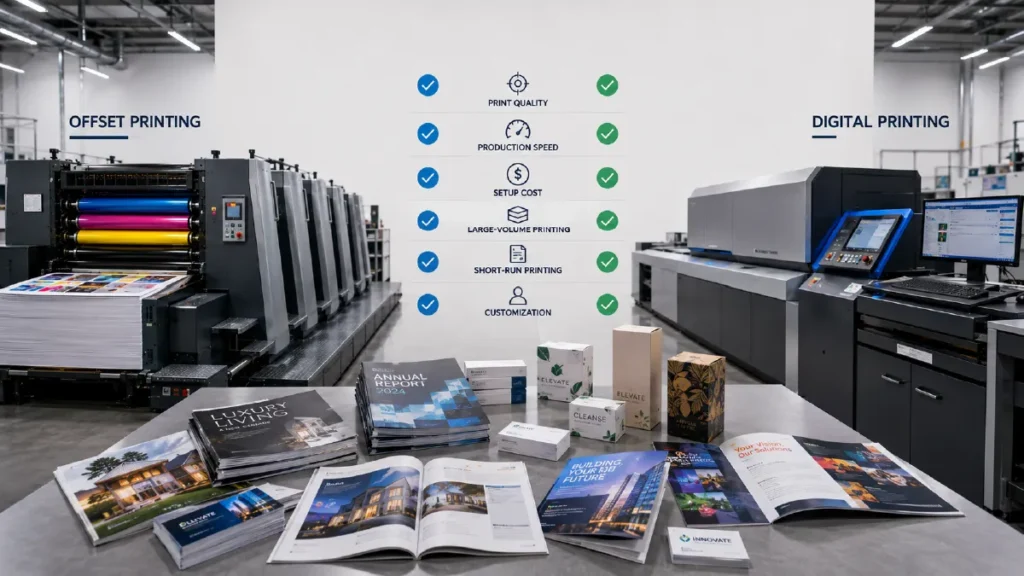
The two most common commercial printing methods are Offset Printing and Digital Printing. While both deliver professional results, they are designed for different production needs. Offset printing is known for its exceptional color accuracy and cost efficiency on large-volume orders, whereas digital printing offers faster turnaround times, flexible customization, and affordable short-run printing.
Understanding the differences between these two technologies can help you avoid unnecessary expenses, improve print quality, and choose the most efficient solution for your project.
In this comprehensive guide, we’ll explain how offset and digital printing work, compare their advantages and disadvantages, and help you determine which printing method is the best choice based on your budget, quantity, timeline, and business goals.
What Is Offset Printing? Understanding the Traditional Commercial Printing Process
Offset Printing vs Digital Printing is one of the most common comparisons businesses make
Offset printing is a commercial printing technique that transfers ink from a metal printing plate to a rubber blanket before it reaches the paper. Instead of applying ink directly to the printing surface, the rubber blanket creates a cleaner and more consistent transfer, resulting in exceptional image sharpness and color accuracy.
Because each color is printed separately using the CMYK process, this method delivers precise color reproduction and excellent consistency across thousands of printed copies. Once the press is calibrated, every sheet maintains nearly identical quality from the first print to the last.
For this reason, offset printing remains the preferred choice for large-scale commercial production where premium quality and consistent results are essential. This Offset Printing vs Digital Printing guide will help you choose the right solution…
How Does Offset Printing Work?
The offset printing process follows a series of carefully controlled production stages:
1. Artwork Preparation
The design file is professionally prepared in CMYK color mode with bleed, crop marks, and high-resolution graphics to ensure accurate printing.
2. Plate Production
A separate aluminum printing plate is produced for each process color—Cyan, Magenta, Yellow, and Black (CMYK). Each plate carries the image information for its specific ink.
3. Ink Transfer
Ink is applied to the printing plate and transferred onto a rubber blanket cylinder. The blanket then transfers the image onto the paper with uniform pressure, creating crisp text and vibrant graphics.
4. Paper Feeding
Sheets pass through multiple printing units, allowing each CMYK color to be applied in perfect registration until the final image is complete.
5. Finishing
After printing, the sheets may undergo additional finishing processes such as cutting, folding, laminating, UV coating, embossing, die-cutting, binding, or perforation, depending on the project’s requirements.
Common Applications
Offset printing is widely used for projects that require large quantities and premium print quality, including:
Company brochures
Product catalogs
Corporate stationery
Premium business cards
Books and magazines
Packaging boxes
Paper bags
Flyers and leaflets
Annual reports
Marketing materials
Its ability to maintain outstanding quality across long print runs makes it one of the most trusted production methods in the commercial printing industry.
What Is Digital Printing? A Fast and Flexible Solution for Modern Print Projects
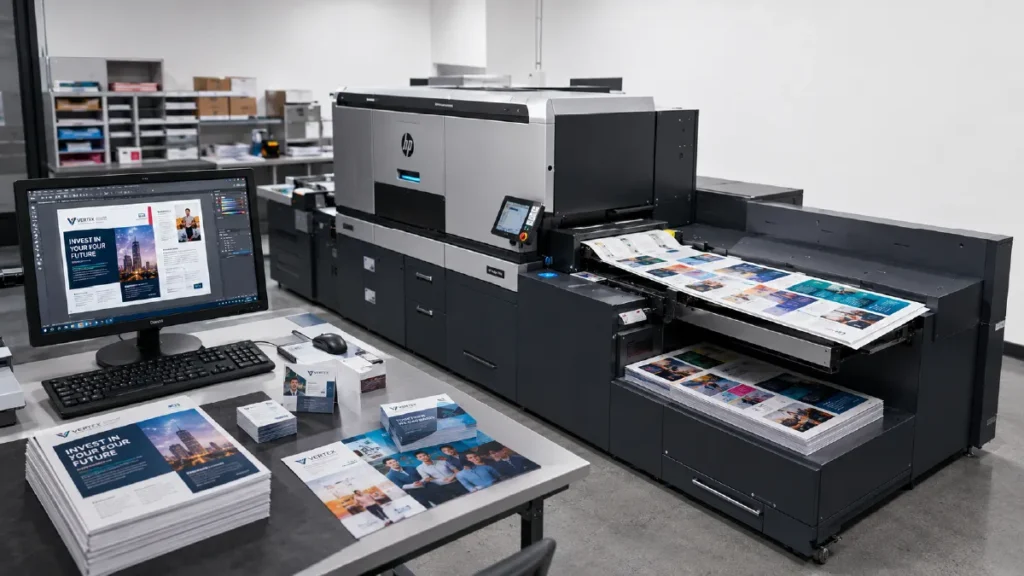
Digital printing is a modern printing technology that transfers digital artwork directly from a computer to the printing device without the need for metal printing plates. Unlike traditional production methods, every print is created from a digital file, making the process significantly faster and more flexible.
Because there is no plate-making or lengthy press setup, digital printing is an excellent choice for short production runs, on-demand printing, and projects with tight deadlines. Businesses can produce exactly the quantity they need while minimizing setup time and reducing material waste.
Another major advantage is the ability to customize every printed piece. Variable data printing allows names, serial numbers, QR codes, addresses, barcodes, and promotional messages to change automatically from one print to the next without slowing production.
How Does Digital Printing Work?
Digital printing follows a streamlined workflow that eliminates many of the preparation steps required by traditional printing methods.
1. Digital File Preparation
The artwork is prepared in a print-ready format with the correct dimensions, color profile, bleed, and resolution before being sent directly to the printer.
2. Direct File Processing
The printer’s Raster Image Processor (RIP) converts the design into printable data, ensuring accurate color reproduction and image placement.
3. Image Transfer
Using advanced toner or inkjet technology, the printer applies the image directly onto the paper in a single automated process without using printing plates.
4. Instant Production
Printing begins almost immediately after the file is received, making digital production one of the fastest commercial printing solutions available.
5. Finishing
The printed materials can then be trimmed, folded, laminated, creased, bound, or otherwise finished according to the project’s specifications.
When Is Digital Printing the Best Choice?
Digital printing is ideal when speed, flexibility, and lower initial costs are more important than producing very high volumes.
Common applications include:
Business cards
Flyers
Brochures
Posters
Restaurant menus
Event invitations
Certificates
Labels and stickers
Presentation folders
Training manuals
Personalized direct mail
Small-batch packaging prototypes
For businesses that frequently update designs or require customized marketing materials, digital printing provides an efficient and cost-effective production solution with professional-quality results.
Offset Printing vs Digital Printing: A Side-by-Side Comparison
Comparing the Two Printing Methods
Both technologies deliver professional-quality results, but they are designed for different production requirements. The right choice depends on your print quantity, budget, delivery schedule, customization needs, and expected finish quality.
The table below highlights the most important differences.
Feature
Offset Printing
Digital Printing
Best for
Large production runs
Small and medium print runs
Setup Time
Longer due to plate preparation
Minimal setup, ready to print
Turnaround Time
Slower for small jobs
Very fast production
Initial Cost
Higher setup investment
Low setup cost
Cost Per Copy
Decreases significantly on high volumes
Remains relatively stable regardless of quantity
Print Quality
Exceptional color consistency and fine detail
Excellent quality for most commercial applications
Color Accuracy
Outstanding, especially for brand colors
Very good but may vary slightly between devices
Pantone Color Support
Excellent
Limited depending on equipment
Personalization
Not practical for variable data
Ideal for personalized printing
Variable Data Printing
No
Yes
Large Quantity Orders
Most cost-effective
Less economical at high volumes
Short-Run Projects
Not the most efficient option
Highly cost-effective
Special Finishes
Excellent compatibility with premium finishing techniques
Compatible with many finishing options, depending on equipment
Which Option Delivers Better Value?
There isn’t a single printing method that’s universally better. The most suitable option depends on the goals of your project.
If your priority is producing thousands of identical prints with outstanding color consistency and a lower cost per unit, traditional press production is usually the better investment.
If your project requires a fast turnaround, lower upfront costs, or personalized content for each printed piece, digital production provides greater flexibility and efficiency.
Rather than asking which technology is superior, it’s more practical to determine which one aligns with your quantity, timeline, and budget. Choosing the right production method from the beginning helps reduce costs, improve efficiency, and ensure the finished product meets your expectations.
How to Choose the Right Printing Method for Your Project
Which Printing Method Should You Choose?
Selecting the right production method isn’t about finding the “best” technology—it’s about choosing the one that matches your project’s objectives. Factors such as order quantity, delivery deadline, customization requirements, and budget all influence the final decision.
Below are common scenarios that can help you determine which option is the better fit.
Choose Offset Printing When:
Offset printing is the preferred solution for large-volume production where consistent quality and long-term cost savings are priorities.
It is an excellent choice if you need:
Thousands of identical printed copies
Superior color consistency across every sheet
Accurate reproduction of brand or Pantone colors
Premium image quality for high-end marketing materials
Specialty finishes such as spot UV, embossing, foil stamping, or die-cutting
Lower cost per unit on large production runs
Typical projects include:
Product catalogs
Corporate brochures
Books and magazines
Packaging boxes
Paper shopping bags
Annual reports
Corporate stationery
High-volume promotional materials
Choose Digital Printing When:
Digital printing is the ideal solution for projects that require speed, flexibility, and smaller quantities.
It works best when you need:
Fast turnaround times
Short production runs
On-demand printing
Personalized or variable data printing
Frequent design updates
Cost-effective printing without plate setup
Common applications include:
Business cards
Flyers
Posters
Restaurant menus
Event invitations
Labels and stickers
Personalized direct mail
Product prototypes
Training manuals
Presentation materials
Key Factors to Consider Before Placing an Order
Before selecting a printing method, ask yourself the following questions:
How many copies do I need?
How quickly do I need the finished products?
Will every printed piece contain the same design, or do I need personalization?
Is premium color accuracy essential for my brand?
What finishing options are required?
Which solution offers the best value within my budget?
Answering these questions early helps avoid unnecessary production costs and ensures the final product meets both your expectations and business objectives.
Expert Recommendation
For many businesses, there isn’t a single solution that fits every project. Marketing materials printed in large quantities often benefit from offset production, while smaller campaigns, promotional updates, and personalized materials are better suited to digital printing.
Working with an experienced commercial printing provider ensures that every project is produced using the most efficient method, delivering the right balance of quality, turnaround time, and cost-effectiveness.
Final Thoughts
Choosing a commercial printing solution isn’t simply about selecting a machine—it’s about finding the most effective production process for your specific project.
Large-volume orders generally benefit from traditional press production because of its outstanding color consistency, premium image quality, and lower cost per unit. On the other hand, digital production offers exceptional flexibility, faster turnaround, and affordable short-run printing, making it ideal for businesses that need quick delivery or personalized materials.
Understanding the strengths of each technology allows you to make informed decisions, reduce production costs, and achieve better printing results. Whether you’re producing business cards, brochures, packaging, catalogs, labels, posters, or marketing materials, selecting the appropriate workflow will ensure your printed products meet both your quality expectations and budget.
If you’re unsure which option is right for your project, consulting an experienced commercial printing company can help you choose the most efficient solution before production begins.
Frequently Asked Questions (FAQs)
Is offset printing better than digital printing?
Neither method is universally better. Traditional press production is typically the preferred choice for high-volume jobs requiring exceptional color consistency, while digital production is better suited for short runs, fast turnaround, and personalized printing.
Which printing method is more affordable?
For smaller quantities, digital printing usually has the lower overall cost because there are no plate preparation charges. For large production runs, traditional press printing generally becomes more economical due to its lower cost per printed piece.
Which option delivers higher print quality?
Both technologies produce professional-quality results. However, traditional press production is often preferred for premium commercial projects because it offers extremely consistent color reproduction, sharper fine details, and excellent support for specialty inks and finishing techniques.
Can I print personalized materials?
Yes. Digital printing supports variable data printing, allowing every printed piece to contain different names, addresses, serial numbers, QR codes, or promotional messages without interrupting production.
Which method is faster?
Digital printing requires minimal setup, making it the faster choice for most small and medium-sized orders. Traditional press production involves plate preparation and press calibration, which increases setup time before printing begins.
Which products are commonly produced using commercial printing?
Businesses frequently print:
Business cards
Flyers
Brochures
Catalogs
Packaging boxes
Paper bags
Labels and stickers
Posters
Books and magazines
Corporate stationery
Marketing materials
Presentation folders
The most suitable production method depends on the quantity, deadline, budget, and finishing requirements of each project.
Need Professional Printing Services?
At GreenwayPrint, we provide high-quality commercial printing solutions tailored to businesses of all sizes. Whether you need a short-run marketing campaign, premium packaging, corporate stationery, or high-volume promotional materials, our team can recommend the most suitable production process based on your goals, timeline, and budget.
From prepress preparation to finishing and delivery, we focus on producing consistent, professional results that help your brand make a lasting impression.
Contact GreenwayPrint today for expert guidance and a customized quotation for your next printing project.
In today’s competitive business landscape, creating visually appealing and durable printed materials is more important than ever. Whether you’re promoting your brand through eye-catching signage, premium product packaging, customized promotional items, or elegant interior décor, the quality of your print directly influences how customers perceive your business. As printing technology continues to evolve, companies are looking for solutions that combine speed, precision, durability, and versatility. One technology that has transformed the printing industry is UV printing.
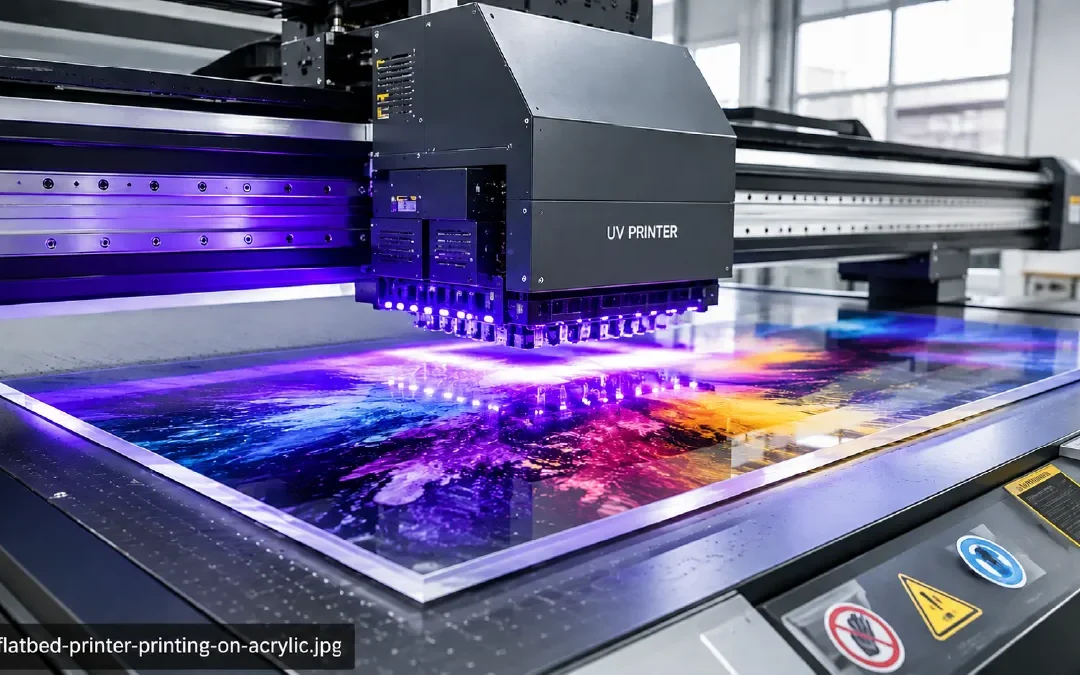
UV printing, short for Ultraviolet Printing, is an advanced digital printing method that uses ultraviolet (UV) light to instantly cure specially formulated inks as they are applied to a surface. Unlike traditional printing methods, where ink dries naturally through evaporation or heat, UV printing uses UV LED lamps to harden the ink immediately. This instant curing process creates vibrant colors, sharp details, and a durable finish that is resistant to scratches, moisture, and fading.
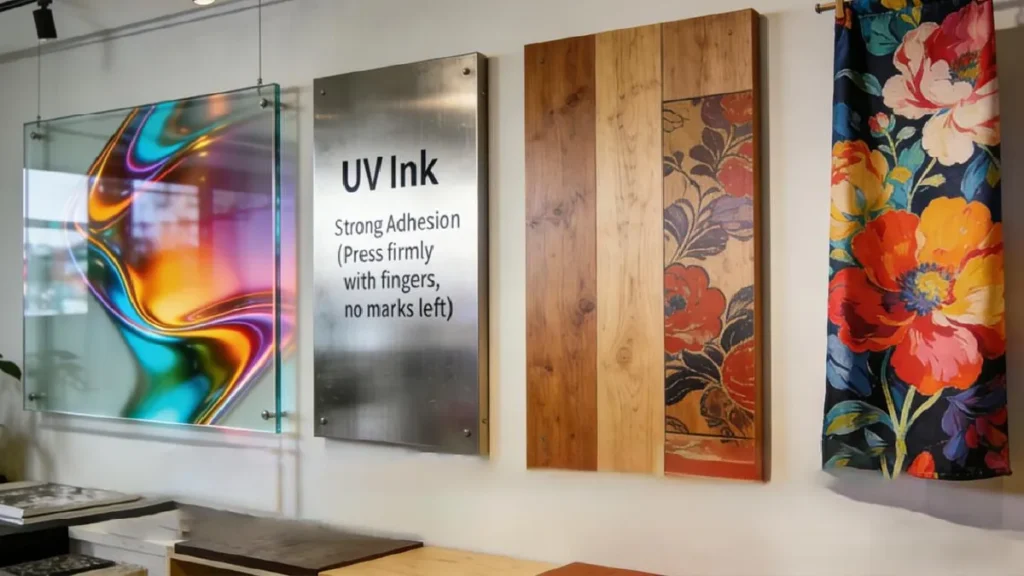
One of the biggest advantages of UV printing is its ability to print directly on a wide variety of materials. From acrylic and glass to wood, metal, PVC, leather, ceramic, and plastic, UV printing delivers exceptional results without requiring additional mounting or transfer processes. This flexibility makes it an ideal choice for businesses across industries such as retail, hospitality, healthcare, construction, manufacturing, education, and corporate branding.
As consumer expectations continue to rise, businesses need printed products that not only look professional but also last longer. UV printing meets these demands by producing high-quality prints with excellent color accuracy and long-term durability. Since the ink cures instantly, there is no waiting time for drying, allowing faster production and shorter delivery times. This makes UV printing particularly valuable for projects with tight deadlines or large production volumes.
Another reason for the growing popularity of UV printing is its environmentally friendly process. Traditional solvent-based printing often releases volatile organic compounds (VOCs) into the air during the drying process. In contrast, UV inks cure instantly with minimal emissions, reducing waste and making the process cleaner and more sustainable. Many businesses choose UV printing not only for its superior quality but also because it aligns with modern environmental standards.
Today, UV printing is used to create a wide range of products, including business signs, promotional displays, exhibition graphics, customized corporate gifts, product packaging, labels, decorative panels, business cards, and many other branding materials. Its ability to produce vibrant, long-lasting prints on both rigid and flexible surfaces has made it one of the most trusted printing technologies in the industry.
In this comprehensive guide, you’ll learn everything you need to know about UV printing. We’ll explore how the technology works, its key benefits, the materials it can print on, its most common applications, and how it compares to traditional printing methods. Whether you’re a business owner looking for premium printing solutions or simply interested in understanding the latest advancements in the printing industry, this guide will help you make informed decisions.
How Does UV Printing Work? What Is UV Printing Process Explained?
One of the biggest reasons UV printing has become so popular is its unique printing process. Unlike traditional printing methods, where ink needs time to dry through evaporation or heat, UV printing uses ultraviolet (UV) LED light to cure the ink instantly. This advanced technology not only speeds up production but also delivers sharper details, brighter colors, and a more durable finish.
The entire process is automated and highly precise, allowing businesses to produce premium-quality prints on a wide variety of materials without sacrificing efficiency.
Step 1: Preparing the Artwork
Every successful print starts with a professionally designed digital file. Designers typically create artwork using software such as Adobe Illustrator, Photoshop, or CorelDRAW. The design is then exported in a print-ready format with the correct color profile and resolution.
Before printing begins, the operator checks:
Image resolution
Print dimensions
Color accuracy
Bleed and safety margins
Material size and thickness
Proper artwork preparation ensures that the final print looks exactly as intended and reduces the chance of printing errors.
Step 2: Loading the Material
After the artwork is ready, the printing material is placed on the UV printer.
Unlike conventional printers that mainly print on paper, UV printers can handle many different materials, including:
Acrylic
Glass
PVC
Foam Board
Wood
Metal
Plastic
Leather
Ceramic
Cardboard
The printer’s vacuum table securely holds the material in place during printing, preventing movement and ensuring perfect alignment.
Step 3: Applying UV Ink
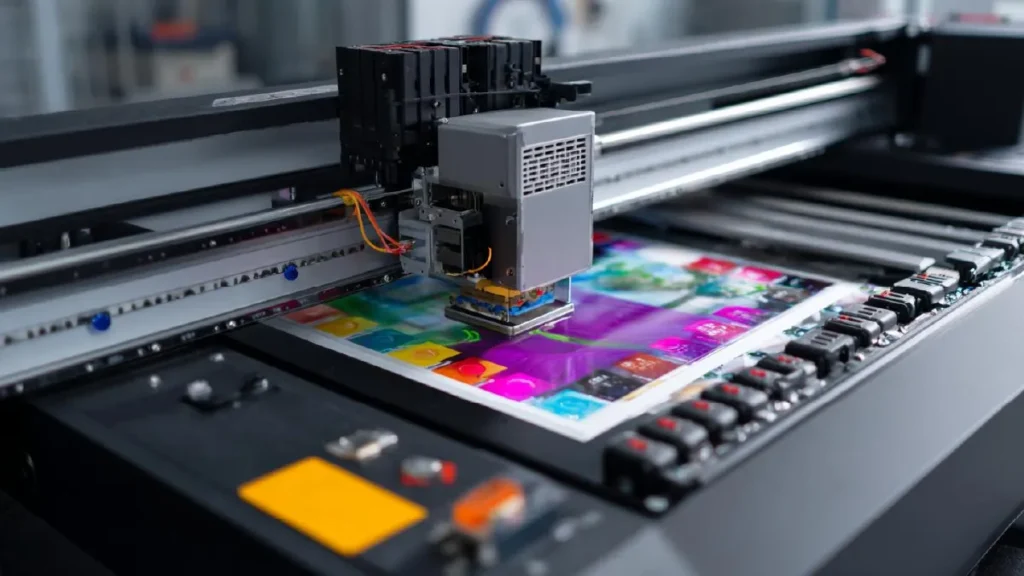
Once the material is positioned correctly, the print head begins depositing microscopic droplets of specially formulated UV ink onto the surface.
Unlike traditional inks that soak into the material, UV ink remains on the surface until it is exposed to ultraviolet light. This helps preserve color vibrancy and allows even non-porous materials like glass, acrylic, and metal to achieve excellent print quality.
Modern UV printers use advanced print heads capable of producing extremely fine droplets, resulting in:
Smooth gradients
Crisp text
High-resolution graphics
Excellent color consistency
This level of precision makes UV printing ideal for premium signage, packaging, and branded products.
Step 4: Instant UV LED Curing
The most important part of the UV printing process is the curing stage.
As soon as the UV ink is deposited, powerful UV LED lamps mounted beside the print head shine ultraviolet light onto the fresh ink. Within a fraction of a second, the ink undergoes a chemical reaction that transforms it from a liquid into a solid layer.
Because the ink cures instantly:
There is no drying time.
Prints can be handled immediately.
Smudging and ink bleeding are eliminated.
Production becomes faster and more efficient.
This instant curing process is one of the biggest advantages of UV printing over conventional printing technologies.
Why Does UV Printing Produce Better Results?
The quality of UV printing comes from the combination of precision printing and instant curing.
Since the ink does not spread or absorb into the material, every detail remains sharp and vibrant. Fine lines, small text, gradients, and complex graphics are reproduced with exceptional accuracy.
Additionally, the cured ink forms a strong protective layer that is highly resistant to:
Water
Scratches
UV sunlight
Chemicals
Daily wear and tear
This makes UV printing suitable for both indoor and outdoor applications, where durability is essential.
A Fast, Efficient, and Reliable Printing Process
From artwork preparation to instant curing, every stage of UV printing is designed to maximize quality and efficiency. Businesses benefit from shorter production times, fewer printing errors, and premium-looking results across a wide range of materials.
Whether you’re producing custom signage, luxury packaging, promotional products, or decorative displays, UV printing provides a reliable solution that combines speed, versatility, and long-lasting performance.
What Is UV Printing? Benefits and Materials You Can Print On
As businesses continue to demand faster production, premium quality, and longer-lasting printed products, UV printing has become one of the most trusted printing technologies available today. Unlike conventional printing methods, UV printing combines speed, precision, and durability in a single process, making it suitable for everything from business signage to luxury packaging.
One of the main reasons businesses choose UV printing is its ability to deliver professional results on many different surfaces while maintaining exceptional color accuracy and long-term durability. Whether you’re creating retail displays, promotional products, branded packaging, or custom interior décor, UV printing offers advantages that traditional printing methods often cannot match.
Let’s explore why UV printing has become the preferred choice for businesses worldwide.
Instant Drying for Faster Production
One of the most significant advantages of UV printing is its instant drying process. Traditional printing methods often require several minutes or even hours for ink to dry completely. During this time, printed materials can easily become smudged or damaged if handled too early.
UV printing solves this problem by using UV LED lamps to cure the ink immediately after it is applied. As a result, every printed item comes out completely dry and ready for handling, packaging, or installation.
This faster production process helps businesses reduce turnaround times, improve workflow efficiency, and complete large printing projects more quickly.
Superior Print Quality
UV printing is well known for producing exceptionally sharp and vibrant prints. Since the ink stays on the surface instead of being absorbed into the material, colors appear richer and more vivid.
This technology produces:
High-resolution graphics
Crisp text and fine details
Smooth color gradients
Accurate color reproduction
Premium-looking finishes
Whether printing a company logo, product packaging, or an advertising display, UV printing ensures professional results that enhance your brand image.
Long-Lasting Durability
Durability is another major reason why businesses invest in UV printing.
Once the UV ink is cured, it forms a hard protective layer that resists everyday wear and environmental conditions. UV-printed products are highly resistant to scratches, moisture, sunlight, and fading, making them suitable for both indoor and outdoor use.
Because of their durability, UV-printed signs, promotional products, and decorative displays maintain their appearance for years with minimal maintenance.
Print on a Wide Range of Materials
Perhaps the greatest advantage of UV printing is its versatility.
Unlike many conventional printing methods that are limited to paper or vinyl, UV printers can print directly on a wide variety of rigid and flexible materials without compromising print quality.
Some of the most commonly used materials include:
Acrylic – Perfect for premium office signs, illuminated displays, and exhibition graphics.
Glass – Ideal for decorative panels, restaurant interiors, and corporate branding.
Wood – Suitable for personalized gifts, wall art, and interior decoration.
PVC – Commonly used for advertising boards and indoor signage.
Metal – Excellent for industrial labels, nameplates, and luxury signage.
Plastic – Frequently used for promotional products and branded packaging.
Leather – Perfect for notebooks, folders, wallets, and premium corporate gifts.
Ceramic – Ideal for personalized mugs, decorative tiles, and custom souvenirs.
This flexibility allows businesses to produce unique products without changing printing technology.
Eco-Friendly Printing Solution
Environmental responsibility has become increasingly important for modern businesses. UV printing offers a cleaner alternative to many traditional solvent-based printing methods.
Because the ink cures instantly rather than evaporating, UV printing produces significantly lower VOC (Volatile Organic Compound) emissions. It also generates less waste and consumes less energy when using modern UV LED curing systems.
For businesses looking to adopt more sustainable production methods, UV printing provides an environmentally friendly solution without compromising quality.
Cost-Effective in the Long Run
Although UV printing may have a slightly higher initial production cost than some traditional methods, it often provides better long-term value.
Its durability reduces the need for frequent replacements, while faster production improves efficiency and lowers labor costs. Businesses also benefit from fewer printing errors and less material waste.
When quality, durability, and production speed are considered together, UV printing becomes a smart investment for companies seeking reliable, high-quality printing solutions.
Why UV Printing Is the Preferred Choice
From vibrant colors and instant drying to exceptional durability and compatibility with multiple materials, UV printing offers everything modern businesses need in a professional printing solution.
Whether you’re producing custom signage, luxury packaging, promotional products, retail displays, or interior décor, UV printing delivers outstanding results that help your brand stand out while ensuring long-lasting performance.
One of the biggest reasons UV printing has become so popular is its incredible versatility. Unlike traditional printing methods that are often limited to paper or specific materials, UV printing can produce high-quality, durable prints on a wide range of rigid and flexible surfaces. This flexibility makes it suitable for businesses across many industries, from retail and hospitality to healthcare, education, manufacturing, and corporate branding.
Whether you’re looking to create eye-catching marketing materials or premium customized products, UV printing offers endless possibilities. Its ability to produce vibrant colors, fine details, and long-lasting finishes has made it one of the most reliable printing technologies for commercial and personal use.
Below are some of the most common applications of UV printing and how businesses use this technology to strengthen their brand identity.
Signage and Display Solutions
Signage is one of the largest industries that relies on UV printing. Businesses need signs that are attractive, durable, and capable of withstanding daily exposure to sunlight, dust, and moisture.
UV printing produces sharp text, vivid graphics, and weather-resistant finishes, making it perfect for both indoor and outdoor signage.
Popular signage products include:
Acrylic Signs
Office Signage
Reception Signs
Wayfinding Signs
Shop Front Signs
Directional Signs
Exhibition Panels
Retail Display Boards
Because UV ink bonds directly to the material, the finished signs maintain their professional appearance for years with minimal maintenance.
Product Packaging
Today’s consumers are heavily influenced by product packaging. Attractive packaging helps products stand out on store shelves while reinforcing a company’s brand identity.
UV printing allows businesses to create premium packaging with rich colors, crisp graphics, and luxurious finishes.
Common packaging applications include:
Cosmetic Boxes
Gift Boxes
Paper Bags
Product Labels
Luxury Packaging
Food Packaging
Electronic Product Boxes
High-quality UV printing helps brands create memorable first impressions that encourage customer confidence and increase product appeal.
Promotional Products
Custom promotional products remain one of the most effective marketing tools for businesses. UV printing allows logos, graphics, and personalized designs to be printed directly onto a variety of promotional items.
Some popular examples include:
Pens
USB Drives
Keychains
Phone Cases
Power Banks
Awards and Trophies
Name Badges
Corporate Gift Items
These customized products help businesses increase brand visibility while leaving a lasting impression on customers and clients.
Interior Decoration
UV printing is also widely used in modern interior design. Because it can print directly on materials such as glass, wood, acrylic, and ceramic, it enables architects, designers, and homeowners to create unique decorative elements.
Popular interior decoration applications include:
Decorative Glass Panels
Wall Art
Acrylic Photo Panels
Wooden Decorative Boards
Custom Furniture Graphics
Kitchen Backsplashes
Decorative Tiles
The combination of vibrant colors and durable finishes makes UV printing ideal for enhancing both residential and commercial spaces.
Retail Branding
Retail stores use UV printing to create visually appealing environments that attract customers and strengthen brand recognition.
Retail branding products include:
Window Graphics
Point-of-Sale Displays
Promotional Stands
Shelf Talkers
Hanging Signs
Product Display Panels
High-quality retail graphics help stores communicate promotions effectively while creating a more engaging shopping experience.
Corporate Branding
Professional branding plays a crucial role in building customer trust and business credibility. UV printing allows companies to maintain a consistent visual identity across multiple branded materials.
Corporate applications include:
Office Signage
Meeting Room Signs
Company Logos
Employee Name Plates
Reception Displays
Branded Awards
Corporate Gifts
These printed materials help businesses create a professional workplace while reinforcing their brand image.
Why Businesses Prefer UV Printing for Commercial Applications
Businesses across different industries continue to choose UV printing because it combines quality, speed, and versatility in one technology. Whether producing a single customized item or thousands of branded products, UV printing delivers consistent results with minimal production time.
Its ability to print on multiple materials, combined with outstanding durability and vibrant colors, makes it the preferred solution for companies looking to invest in premium-quality printing.
From small businesses to large corporations, UV printing continues to transform the way products are branded, displayed, and marketed.
UV Printing vs Traditional Printing
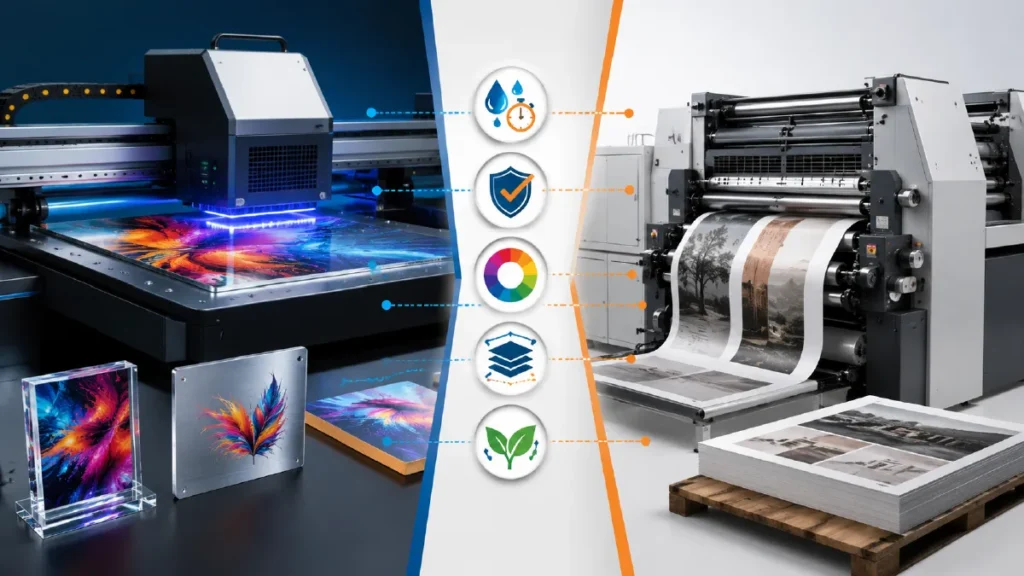
Choosing the right printing technology is essential for achieving the best results for your project. While traditional printing methods such as offset and solvent printing are still widely used, UV printing has become the preferred option for businesses that require premium quality, faster production, and greater versatility.
One of the most noticeable differences is how the ink dries. Traditional printing relies on air drying, heat, or absorption into the material, which can take several minutes or even hours. During this time, prints may smudge or require additional handling before they are ready for use.
UV printing uses ultraviolet LED lamps to cure the ink instantly as it is printed. This means the finished product is completely dry the moment it leaves the printer, reducing production time and allowing immediate handling or installation.
Another important advantage is material compatibility. Traditional printing often works best on paper, cardboard, or vinyl, whereas UV printing can print directly onto acrylic, glass, wood, PVC, metal, plastic, leather, ceramic, and many other rigid or flexible materials. This makes UV printing an excellent choice for businesses that require customized products across different industries.
When it comes to durability, UV printing also stands out. The cured ink forms a protective layer that resists scratches, moisture, fading, and everyday wear. This makes UV-printed products suitable for both indoor and outdoor applications, ensuring they maintain their appearance for a long time.
Although UV printing may cost slightly more for certain projects, the long-term value often outweighs the initial investment. Businesses benefit from fewer reprints, less maintenance, and higher customer satisfaction thanks to the superior quality and durability of UV-printed products.
UV Printing vs Traditional Printing Comparison
Feature
UV Printing
Traditional Printing
Drying Time
Instant UV LED curing
Air or heat drying
Print Quality
Excellent
Good
Color Vibrancy
Rich and vibrant
Standard
Material Compatibility
Acrylic, Glass, Wood, PVC, Metal, Plastic, Leather and more
Mostly Paper and Vinyl
Scratch Resistance
High
Moderate
Water Resistance
Excellent
Depends on the ink
Outdoor Durability
Excellent
Limited
Production Speed
Faster
Slower
Environmental Impact
Low VOC emissions
Higher solvent emissions in some methods
Frequently Asked Questions (FAQs)
Is UV printing waterproof?
Yes. UV-cured inks create a durable surface that is highly resistant to water, making UV printing suitable for outdoor signs, promotional products, and packaging.
How long does UV printing last?
With proper care, UV-printed products can maintain their quality for many years. Indoor applications often last even longer, while outdoor products are designed to withstand sunlight and changing weather conditions.
Can UV printers print on glass and acrylic?
Absolutely. UV printing is one of the best technologies for printing directly onto glass, acrylic, PVC, wood, metal, ceramic, leather, and many other materials.
Is UV printing environmentally friendly?
Compared with many traditional solvent-based printing methods, UV printing is considered more environmentally friendly because it produces lower VOC emissions and generates less waste through its instant curing process.
Is UV printing suitable for small businesses?
Yes. Whether you need a single customized product or a large commercial order, UV printing offers excellent flexibility, premium quality, and fast production, making it a great choice for businesses of all sizes.
Final Thoughts
UV printing has transformed the modern printing industry by combining speed, precision, durability, and versatility into one advanced printing solution. Its ability to produce vibrant, high-resolution prints on a wide range of materials makes it ideal for signage, packaging, promotional products, interior décor, retail branding, and countless other commercial applications.
As businesses continue to seek high-quality printing solutions that deliver lasting value, UV printing remains one of the smartest investments for creating professional and eye-catching products. Whether you’re launching a new brand, upgrading your store signage, producing luxury packaging, or creating customized promotional items, UV printing provides the quality and reliability needed to make a lasting impression.
If you’re looking for premium UV printing services in Riyadh, GreenwayPrint offers high-quality UV printing solutions tailored to your business needs. From custom signage and packaging to promotional products and corporate branding materials, our team is committed to delivering exceptional print quality, fast turnaround times, and professional service.
Thank You for Reading!
We hope this guide has helped you understand what UV printing is, how it works, its benefits, and its wide range of applications. If you’re planning your next printing project and need expert advice, feel free to contact GreenwayPrint. Our experienced team is ready to help you choose the right printing solution for your brand and business goals.
DTF, Screen Printing, or Embroidery: Which Printing Technique Suits Your Clothing Best?
Choosing the right printing technique is one of the most important decisions when creating custom apparel. Whether you’re printing T-shirts for a business, uniforms for your staff, promotional clothing for an event, or personalized garments for a brand, the printing method you choose directly affects the final appearance, durability, cost, and overall quality of the product.
Among the most popular decoration methods today are DTF (Direct to Film) Printing, Screen Printing, and Embroidery. Each technique offers unique advantages and is designed for different applications. While DTF printing delivers vibrant full-colour designs with exceptional detail, screen printing remains the preferred option for large production runs with simple artwork. Embroidery, on the other hand, provides a premium and professional finish that is ideal for corporate uniforms, caps, polo shirts, and workwear.
There is no single printing technique that is perfect for every project. The best choice depends on several factors, including your garment type, design complexity, order quantity, budget, and the look you want to achieve.
In this guide, we’ll explain how each printing method works, compare their advantages and limitations, and help you decide which option is best for your clothing project. By the end of this article, you’ll have a clear understanding of when to choose DTF printing, when screen printing makes the most sense, and when embroidery is the ideal solution.
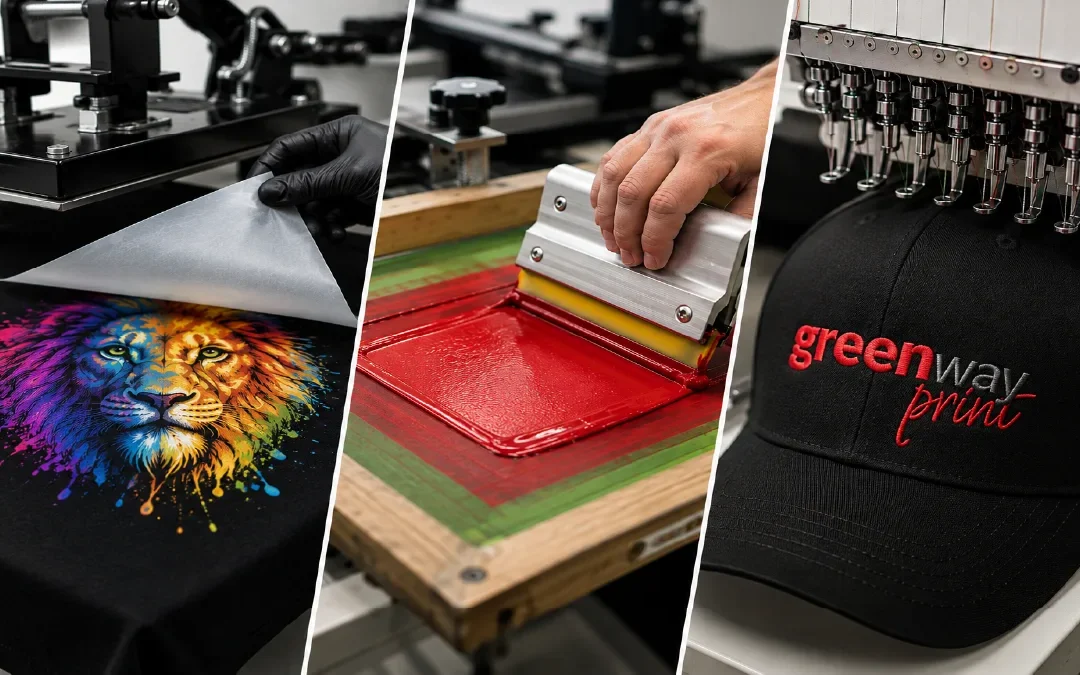
DTF (Direct to Film) printing is a modern garment decoration method that transfers a printed design from a special PET film directly onto fabric using heat and pressure. Unlike some traditional printing techniques, DTF does not require the design to be printed directly onto the garment. Instead, the artwork is first printed onto a transfer film using specialized DTF inks, coated with adhesive powder, cured, and then heat-pressed onto the fabric.
One of the biggest advantages of DTF printing is its versatility. It produces vibrant colours, sharp details, and durable prints on a wide variety of fabrics, including cotton, polyester, blends, canvas, and many other textile materials. This makes DTF an excellent choice for custom T-shirts, hoodies, tote bags, uniforms, promotional apparel, and personalized clothing.
DTF printing is particularly suitable for full-colour graphics, gradients, photographs, and complex designs that require exceptional detail. It is also an efficient solution for both small and medium production runs, as it requires minimal setup compared to some traditional printing methods.
Whether you’re creating custom apparel for a business, an event, a sports team, or your own clothing brand, DTF printing offers a balance of quality, flexibility, and durability that makes it one of the fastest-growing printing technologies in the apparel industry.
See DTF Printing in Action
Understanding DTF printing is easier when you see the process in action. Watch the short video below to see how a design is printed onto a special transfer film and then heat-pressed onto a garment. This demonstration highlights the precision, vibrant colour reproduction, and professional finish that make DTF printing one of the most popular choices for custom apparel
When is DTF less suitable?
DTF is not the best choice in every situation. Are you suddenly going to print hundreds of shirts with the same design? Then DTF is usually not your cheapest option. This is because each print is produced individually, meaning the price per piece does not drop as quickly.
And are you looking for a luxurious, tactile finish? Then DTF is not always the best match either. The print lies on the fabric and feels smooth, whereas sometimes you actually want a bit more texture or relief.
Screen printing is one of the oldest and most widely used garment printing techniques. It involves pushing ink through a fine mesh screen onto the fabric, with each colour applied using a separate screen. This process creates bold, vibrant prints with excellent colour consistency, making it a preferred choice for large-volume apparel production.
One of the biggest advantages of screen printing is its cost-effectiveness for bulk orders. Although preparing the screens requires an initial setup, the cost per garment decreases significantly as the order quantity increases. This makes screen printing ideal for businesses, schools, sports teams, events, promotional campaigns, and corporate uniforms.
Screen printing is best suited for simple to moderately detailed artwork with a limited number of colours. It produces durable prints that can withstand frequent washing while maintaining their vibrant appearance. However, because each colour requires its own screen, highly detailed designs or photographs with many colours are generally better suited to DTF printing.
If you’re planning to print a large number of garments with the same design, screen printing offers an excellent balance of quality, durability, and affordability.
See Screen Printing in Action
Watch the video below to see how screen printing works. The process demonstrates how ink is transferred through a mesh screen onto the garment, creating vibrant, durable prints that are ideal for bulk apparel production.
When is screen printing less suitable?
Do you work with small quantities, personalised items, or a design that changes frequently? Then screen printing quickly becomes impractical. After all, a separate preparation is required for every variant and colour, which you have to set up again every time.
In short: less flexible, but rock-solid if used correctly.
What is Embroidery?
Embroidery is a premium garment decoration technique that uses high-quality threads to stitch logos, text, and designs directly onto fabric. Unlike printing methods that apply ink to the surface, embroidery creates a textured and three-dimensional finish by sewing the design into the material. This gives garments a sophisticated, durable, and professional appearance.
One of the biggest advantages of embroidery is its exceptional durability. Since the design is stitched rather than printed, it resists fading, cracking, and peeling even after repeated washing and daily wear. This makes embroidery an excellent choice for businesses, schools, hotels, restaurants, healthcare providers, and organizations looking for long-lasting branded apparel.
Embroidery is best suited for logos, company names, monograms, and simple artwork. It works particularly well on polo shirts, uniforms, jackets, caps, hoodies, bags, and other premium garments where a high-end appearance is important. However, because embroidery uses thread instead of ink, it is generally not recommended for highly detailed images, photographs, or large full-colour graphics.
If you want your clothing to project a professional, elegant, and premium image, embroidery remains one of the most trusted and timeless decoration methods available.
See Embroidery in Action
Watch the video below to see how the embroidery process transforms a digital design into a beautifully stitched logo or artwork. From precise thread placement to the finished product, this demonstration highlights why embroidery is the preferred choice for premium uniforms, corporate apparel, caps, and branded clothing.
When is embroidery less suitable?
Embroidery isn’t always the best match for thin T-shirts. The fabric can start to stretch and it can quickly feel a bit heavier. If the design has with small details or colour gradients, then embroidery quickly becomes a challenge.
So, embroidery isn’t a jack-of-all-trades, but it is the choice when appearance matters.
Quick comparison
Technique
DTF
Screen printing
Embroidery
Best for:
small quantities, lots of detail and multiple colours
large print runs and large designs
premium logos, workwear and hoodies
Benefits:
flexile and fast
sustainable and efficient at scale
luxurious appearance and long lifespan
Be aware of:
less advantageous for larger quantities
more preparation needed
less suitable for thin fabrics and complex designs
Which technique suits your design?
You just want to know: what is the best choice for me? That makes sense. The choice often lies in the details of your design and how you plan to use it. Fortunately, you don’t have to figure that out yourself.
Undecided between DTF, screen printing, and embroidery? Choose your garment and email your design to info@greenwayprint.net We will then advise you on which technique best suits your order.
Imagine spending hours creating the perfect design for your business card, brochure, product packaging, or company flyer. On your computer screen, every color looks vibrant, sharp, and exactly the way you envisioned it. But when the printed copies arrive, the colors appear dull, darker, or completely different from what you expected.
If you’ve ever experienced this, you’re certainly not alone.
One of the most common mistakes in graphic design and commercial printing is using the wrong color mode. Many people assume that the colors displayed on a computer monitor will look identical once printed on paper. Unfortunately, that’s not how color reproduction works.
Digital screens and printers create colors using two completely different systems.
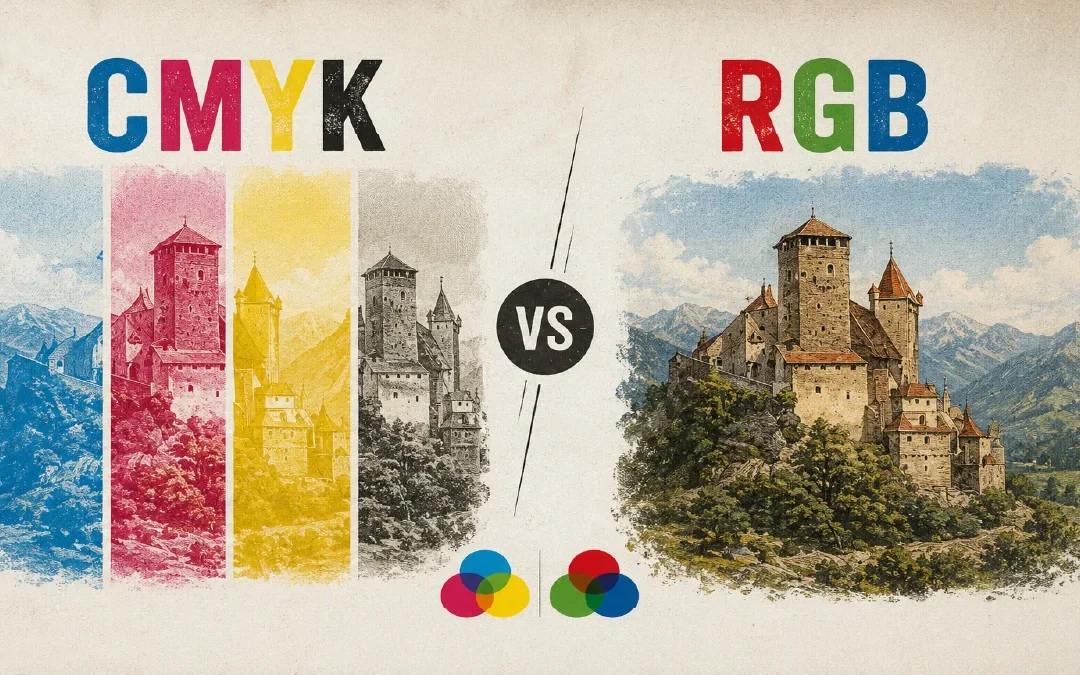
Electronic devices such as computers, smartphones, tablets, televisions, and digital billboards display colors using the RGB (Red, Green, Blue) color model. Professional printers, on the other hand, reproduce colors using the CMYK (Cyan, Magenta, Yellow, Black) color model.
Because these two color systems work differently, the same design can produce noticeably different results depending on where it is viewed.
Whether you’re a graphic designer, marketing professional, business owner, photographer, or simply preparing artwork for printing, understanding the difference between CMYK and RGB is essential. Choosing the correct color mode before designing can save time, reduce printing errors, avoid unexpected color shifts, and ensure your final printed materials look exactly as intended.
In this complete guide, you’ll learn everything you need to know about CMYK and RGB, including how they work, their advantages and limitations, when to use each one, why colors change during printing, and how to prepare print-ready files for professional-quality results.
By the end of this article, you’ll have the knowledge to confidently choose the right color mode for every project—whether it’s for digital media or high-quality commercial printing.
What You’ll Learn in This Guide
What is RGB?
What is CMYK?
How RGB and CMYK create colors
CMYK vs RGB: Key Differences
Why printed colors look different from your screen
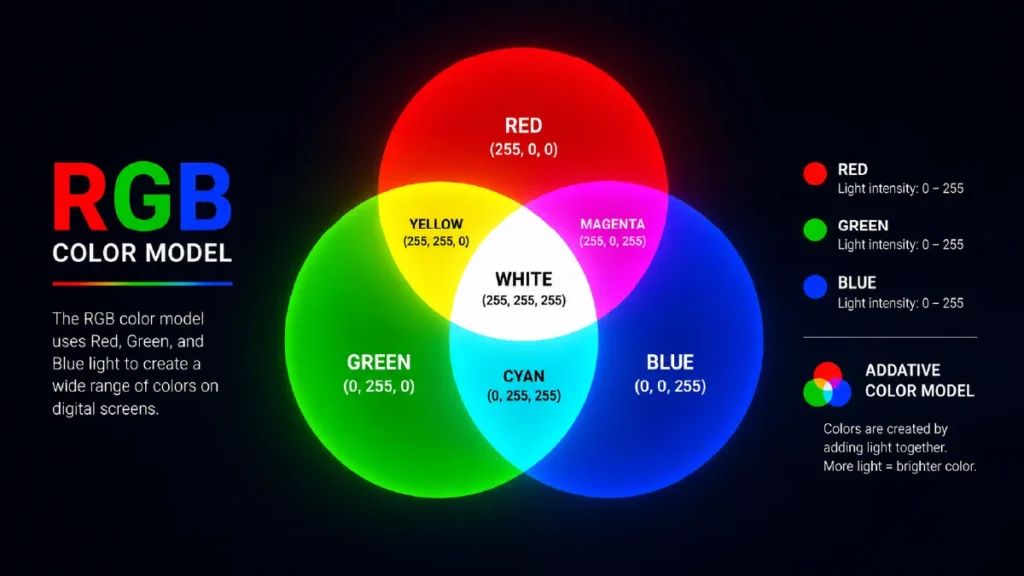
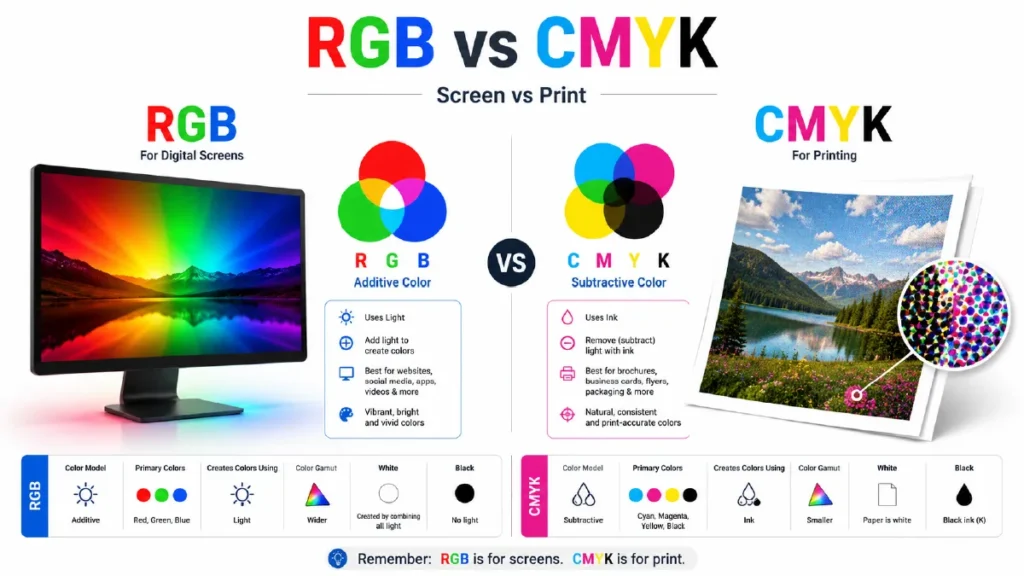
RGB stands for Red, Green, and Blue—the three primary colors of light used to create millions of colors on digital screens. Unlike printed materials, which rely on ink, digital devices produce colors by emitting light. This system is known as the Additive Color Model, where colors become brighter as more light is added.
Every screen you use today—whether it’s a smartphone, laptop, television, tablet, or LED display—creates images using RGB. Tiny pixels on the screen contain red, green, and blue sub-pixels. By adjusting the brightness of these three colors, the screen can display over 16 million different color combinations.
For example, when all three colors (Red, Green, and Blue) are displayed at their maximum intensity, the result is white. When all three are turned off, the screen appears black. Every other color you see is created by mixing different intensities of these three primary colors.
This is why RGB is considered the standard color mode for all digital content.
How RGB Works
RGB follows the principle of light mixing rather than ink mixing.
Imagine shining three colored flashlights—one red, one green, and one blue—onto the same white wall. As the lights overlap, they create entirely new colors.
For example:
Red + Green = Yellow
Green + Blue = Cyan
Blue + Red = Magenta
Red + Green + Blue = White
This ability to combine light makes RGB capable of producing extremely bright, vivid, and saturated colors that look stunning on digital displays.
Where is RGB Used?
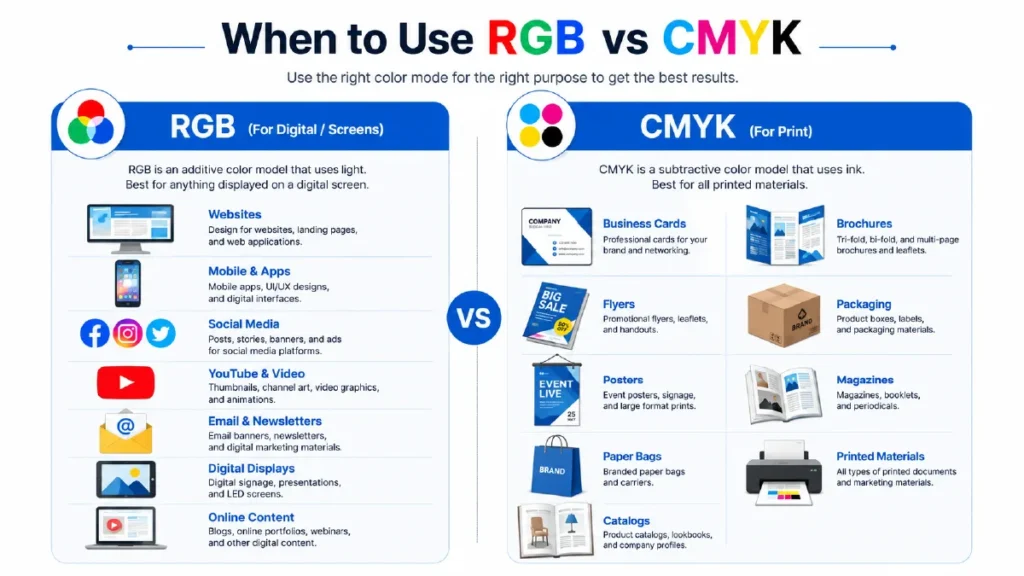
RGB is designed specifically for digital media. If your design will only be viewed on a screen, RGB is the correct choice.
Common examples include:
Websites
Mobile Apps
Social Media Graphics
YouTube Thumbnails
Digital Advertisements
Email Newsletters
Presentation Slides
LED Displays
Television Screens
Computer Monitors
If your artwork is never intended to be printed, RGB provides the widest range of vibrant colors.
Advantages of RGB
RGB offers several benefits for digital design:
Produces brighter and more vibrant colors.
Supports a much wider color gamut than print.
Perfect for websites and social media graphics.
Compatible with virtually all digital devices.
Ideal for photography, UI/UX design, and video content.
The Biggest Limitation of RGB
Although RGB creates beautiful colors on screens, it is not suitable for commercial printing.
Professional printers use ink instead of light, which means they cannot reproduce every color available in the RGB color space. As a result, highly saturated blues, greens, oranges, and neon colors often appear duller when printed.
This is one of the main reasons why designers should convert print-ready artwork to CMYK before sending files to a printing company.
CMYK stands for Cyan, Magenta, Yellow, and Key (Black). It is the standard color model used in commercial printing to reproduce full-color images on paper and other printable materials.
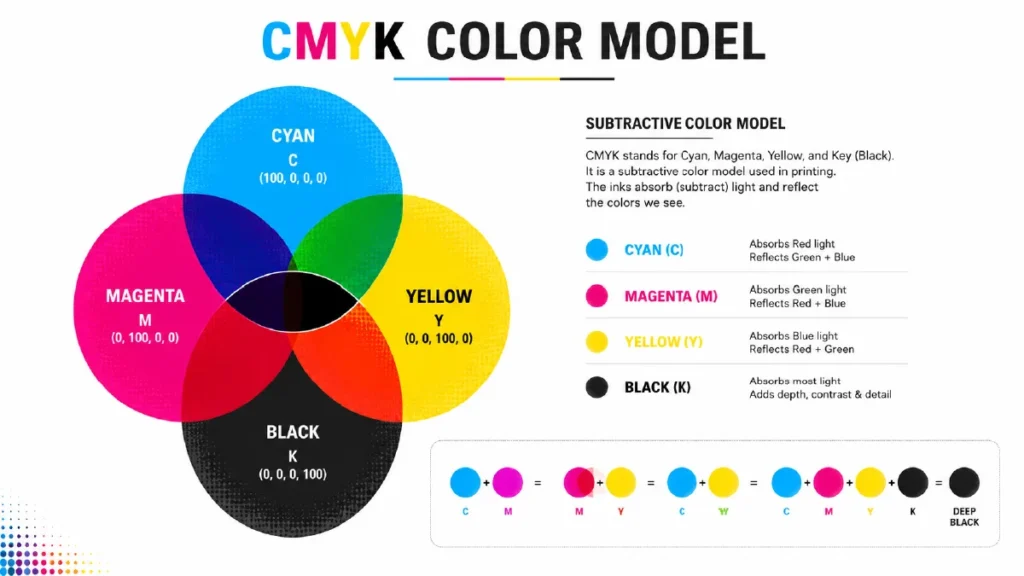
Unlike RGB, which creates colors by emitting light, CMYK creates colors by applying layers of colored ink onto a white surface. This process is known as the Subtractive Color Model because each layer of ink absorbs (subtracts) certain wavelengths of light while reflecting the remaining colors that we see.
For example, a white sheet of paper reflects nearly all visible light. When cyan ink is applied, it absorbs red light and reflects green and blue. Magenta absorbs green light, while yellow absorbs blue light. By combining these three inks in different percentages, printers can reproduce thousands of colors.
Although mixing Cyan, Magenta, and Yellow theoretically produces black, the result is usually a muddy dark brown rather than a true black. To achieve deeper shadows, sharper text, and better contrast, the printing industry adds a fourth ink—Key (Black). This is why the color model is called CMYK instead of simply CMY.
Today, almost every professional printing project relies on CMYK, including:
Business Cards
Brochures
Flyers
Posters
Packaging Boxes
Paper Bags
Books
Catalogs
Stickers
Labels
Magazines
Corporate Stationery
If your design will be printed, CMYK should always be your starting point. Designing directly in CMYK helps ensure that the colors you see during the design process are much closer to the final printed result.
How CMYK Works
A commercial printer doesn’t print every color separately. Instead, it prints tiny halftone dots of Cyan, Magenta, Yellow, and Black ink. These microscopic dots overlap in different patterns and densities, creating the illusion of continuous colors.
For example:
Cyan + Yellow = Green
Magenta + Yellow = Red
Cyan + Magenta = Blue
Cyan + Magenta + Yellow + Black = Deep, rich colors with strong contrast
This layering technique allows modern printing presses to reproduce photographs, illustrations, and complex graphics with remarkable accuracy.
Why CMYK Is Essential for Professional Printing
Most printing presses, digital printers, and offset presses are calibrated to work in the CMYK color space. If you submit artwork in RGB, the printer must automatically convert it to CMYK before printing.
During this conversion, some bright digital colors—especially neon shades, vivid blues, and highly saturated greens—cannot be reproduced exactly because they fall outside the printable CMYK color gamut.
For this reason, professional designers always prepare print-ready files in CMYK to minimize unexpected color shifts and achieve more predictable results.
CMYK vs RGB: What’s the Difference?
Now that you understand how RGB creates colors on digital screens and how CMYK reproduces colors using ink, it’s time to compare them side by side.
Although both color models are designed to produce millions of colors, they serve completely different purposes. Choosing the wrong color mode can lead to disappointing print results, inaccurate colors, and unnecessary production costs.
The easiest way to understand the difference is to remember one simple rule:
RGB is designed for screens, while CMYK is designed for printing.
However, there’s much more to the story.
CMYK vs RGB Comparison
Feature
RGB
CMYK
Full Name
Red, Green, Blue
Cyan, Magenta, Yellow, Black
Color System
Additive Color Model
Subtractive Color Model
Creates Colors Using
Light
Ink
Primary Use
Digital Displays
Commercial Printing
Color Gamut
Wider
Smaller
Brightness
More Vibrant
More Natural
Best For
Websites, Social Media, Apps
Business Cards, Flyers, Packaging
White Color
Created by combining all light
Paper itself is white
Black Color
No light
Black ink (K)
RGB Uses Light, CMYK Uses Ink
The biggest difference between RGB and CMYK is how they create color.
RGB generates colors by adding light. Every pixel on your monitor contains tiny red, green, and blue light sources. As these lights combine, they create millions of vibrant colors.
CMYK works in the opposite way.
Instead of emitting light, printers place tiny layers of cyan, magenta, yellow, and black ink onto paper. These inks absorb certain wavelengths of light and reflect the remaining colors back to your eyes.
That’s why RGB is called an Additive Color Model, while CMYK is known as a Subtractive Color Model.
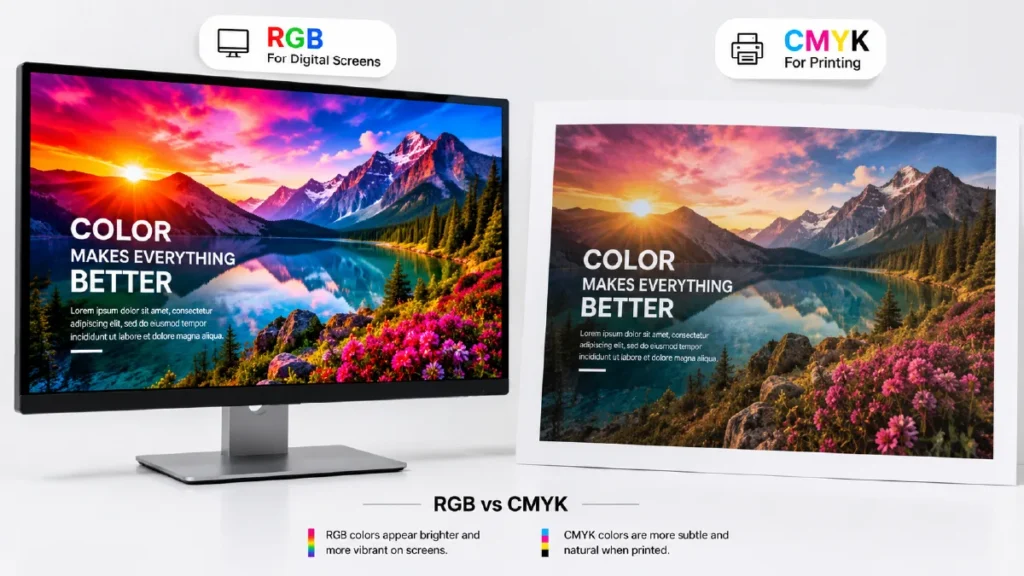
Why RGB Looks More Vibrant
Have you ever noticed that a design looks brighter on your monitor than it does after printing?
This happens because computer screens can display colors that simply cannot be reproduced with ink.
RGB has a much larger color gamut, allowing it to display highly saturated blues, neon greens, bright oranges, and vivid pinks.
CMYK has a smaller printable color range because it is limited by the physical properties of ink and paper.
As a result, some RGB colors must be adjusted during printing, making them appear softer or slightly duller.
Which Color Mode Should You Choose?
The answer depends entirely on where your design will be used.
Choose RGB if your project is intended for:
Websites
Social Media
Mobile Apps
Videos
Digital Advertisements
Email Campaigns
Presentation Slides
Choose CMYK if your design will be printed as:
Business Cards
Flyers
Brochures
Posters
Packaging Boxes
Labels
Paper Bags
Books
Catalogs
Corporate Stationery
Using the correct color mode from the beginning will save time, reduce color correction, and ensure more predictable results.
Pro Tip
Before sending your artwork to a printing company, always check that your document is created in CMYK instead of RGB. This simple step can prevent unexpected color shifts and help your printed materials look as close as possible to your original design.
Why Do Printed Colors Look Different from Your Screen?
Have you ever approved a design on your computer, only to be disappointed when the printed version looked darker, duller, or slightly different?
This is one of the most common concerns in graphic design and commercial printing. Fortunately, it’s not a printing error in most cases—it’s simply the result of how digital screens and printers reproduce color.
A computer monitor creates colors by emitting light using the RGB color model, while a printer reproduces colors by applying CMYK inks onto paper. Because light and ink behave differently, the same design can appear different across digital and printed media.
1. RGB Has a Larger Color Gamut
One of the biggest reasons for color differences is the color gamut.
A color gamut is the range of colors that a system can reproduce.
RGB has a much wider color gamut than CMYK, allowing it to display extremely bright, vibrant, and saturated colors—especially neon greens, electric blues, vivid oranges, and fluorescent pinks.
CMYK cannot reproduce many of these highly saturated colors because ink has physical limitations.
When an RGB design is converted to CMYK, any colors that fall outside the printable color range are automatically adjusted to the closest printable match. As a result, some colors may appear less vibrant in print.
2. Screens Emit Light, Paper Reflects Light
Another important difference is how colors are viewed.
A computer monitor is a light source. It shines red, green, and blue light directly into your eyes, making colors appear brighter and more vivid.
Printed paper does not emit light.
Instead, it reflects the surrounding light in the room. The quality of that light—whether natural daylight, office lighting, or warm indoor lighting—can significantly affect how printed colors appear.
This is why the same printed brochure may look slightly different under different lighting conditions.
3. Paper Type Also Affects Color
The type of paper you choose has a noticeable impact on color reproduction.
For example:
Glossy paper produces brighter and more saturated colors.
Matte paper creates a softer, less reflective appearance.
Uncoated paper absorbs more ink, making colors look slightly muted.
Textured paper can reduce sharpness and color intensity.
Even when using the same printer and the same file, changing the paper stock can change the final appearance of the printed design.
4. Incorrect Color Mode
Many beginners design everything in RGB because it is the default setting in most design software.
If an RGB file is sent directly to a commercial printer, the printing software must automatically convert it to CMYK before printing.
This automatic conversion often produces unexpected color shifts.
For professional printing, it’s always recommended to design in CMYK from the beginning or convert your artwork before exporting the final print-ready PDF.
Professional Tip
To achieve the most accurate printed colors:
Design in CMYK for all print projects.
Use high-quality images with a resolution of 300 DPI.
Export your artwork as a print-ready PDF.
Request a printed proof before large production runs whenever color accuracy is critical.
Taking these simple steps can save time, reduce costly reprints, and ensure your final printed materials match your expectations as closely as possible.
When Should You Use RGB and When Should You Use CMYK?
Choosing the right color mode is just as important as creating a great design. Even a professionally designed artwork can produce disappointing results if it’s created in the wrong color mode.
A simple rule can help you avoid most color-related problems:
If your design will be viewed on a screen, use RGB. If it will be printed, use CMYK.
Although this rule sounds straightforward, many designers and business owners accidentally create print files in RGB. As a result, the colors often change during printing because the printer must convert the file to CMYK automatically.
Knowing when to use each color mode will help you achieve consistent and professional results.
Use RGB for Digital Projects
RGB is the best choice for anything that will be displayed on an electronic screen. Since monitors, smartphones, tablets, and televisions all use RGB light, this color mode produces the brightest and most vibrant colors.
Use RGB for:
Websites
Social Media Graphics
Facebook & Instagram Posts
YouTube Thumbnails
Digital Advertisements
Mobile Apps
Presentation Slides
Email Newsletters
Digital Signage
Online Portfolios
If your audience will only see the design on a screen, RGB is the ideal choice.
Use CMYK for Printed Materials
CMYK should always be used for designs that will be printed.
Commercial printers use cyan, magenta, yellow, and black inks to reproduce colors on paper. Designing in CMYK helps ensure that the printed result closely matches your expectations.
Use CMYK for:
Business Cards
Flyers
Brochures
Posters
Packaging Boxes
Paper Bags
Stickers & Labels
Books & Magazines
Catalogs
Letterheads
Envelopes
Corporate Stationery
If your design is going to a printing press, CMYK is the correct choice.
Quick Decision Guide
Project
Recommended Color Mode
Website
RGB
Social Media Post
RGB
Mobile App
RGB
YouTube Thumbnail
RGB
Email Banner
RGB
Business Card
CMYK
Flyer
CMYK
Brochure
CMYK
Packaging
CMYK
Poster
CMYK
Book
CMYK
Magazine
CMYK
What If Your Design Will Be Used for Both?
Sometimes the same design needs to appear both online and in print.
For example, a company may create a brochure for printing and also upload it as a PDF on its website.
In this case, it’s recommended to:
Create the master design in CMYK for printing.
Export a separate RGB version for digital use.
This approach ensures the best possible color accuracy across both print and digital platforms.
Best Practice
Before starting any new design project, ask yourself one simple question:
“Will this design be viewed on a screen or printed on paper?”
The answer will immediately tell you which color mode to use, helping you avoid unnecessary color corrections and costly printing mistakes.
How to Convert RGB to CMYK Without Losing Color Quality
Converting an RGB design to CMYK isn’t as simple as changing a setting. If done incorrectly, your artwork may lose color accuracy, appear dull, or produce unexpected results when printed.
The goal is not to make the colors identical—because RGB and CMYK have different color gamuts—but to ensure the printed version looks as close as possible to your original design.
Here are the best practices for converting RGB files to CMYK while maintaining professional print quality.
Convert to CMYK Before Sending Your File to Print
One of the biggest mistakes designers make is submitting RGB files directly to a printing company.
Although most commercial printers automatically convert RGB files to CMYK, the results may not match your expectations.
Instead, convert your artwork yourself so you can review and adjust the colors before printing.
Adobe Photoshop
Photoshop makes RGB to CMYK conversion simple.
Go to:
Image → Mode → CMYK Color
After converting, carefully inspect bright blues, greens, oranges, and reds. Some colors may appear less vibrant because they fall outside the printable CMYK color range.
If necessary, make manual color adjustments before exporting the final file.
Adobe Illustrator
If you’re designing logos, business cards, brochures, or packaging in Illustrator, it’s best to create your document in CMYK from the very beginning.
If your artwork is already in RGB:
File → Document Color Mode → CMYK Color
Illustrator will convert all colors to the CMYK color space.
Adobe InDesign
For magazines, books, catalogs, and multi-page documents, InDesign supports CMYK workflows throughout the design process.
When exporting your final file:
Export as PDF (Print)
Select the correct CMYK color profile
Embed fonts
Include bleed and crop marks if required
Canva Users
Canva primarily works in RGB because it’s designed for digital content.
If you’re creating artwork for professional printing:
Use Canva Pro to export as PDF Print
Enable crop marks and bleed
Ask your printing company to review the file before production
For high-end commercial printing, Adobe Illustrator or InDesign generally provides better color control than Canva.
Export as a Print-Ready PDF
Once your design is complete, export it as a high-quality PDF instead of JPG or PNG.
A print-ready PDF preserves:
Vector graphics
Fonts
Image quality
CMYK color information
Bleed settings
This is the preferred format for almost every professional printing company.
Professional Tips for Better Color Accuracy
Before sending your artwork to print:
Design in CMYK whenever possible.
Use high-resolution images (300 DPI).
Avoid neon or overly saturated RGB colors.
Soft-proof your artwork before exporting.
Export as a print-ready PDF.
Request a printed proof for important projects.
Following these simple steps can significantly reduce color differences and help you achieve more predictable, professional printing results.
Common CMYK and RGB Mistakes to Avoid
Even experienced designers sometimes make simple mistakes that can lead to poor print quality, unexpected color shifts, or costly reprints. Understanding these common errors will help you produce more accurate and professional results.
Here are the most common CMYK and RGB mistakes—and how to avoid them.
1. Designing Print Files in RGB
This is by far the most common mistake.
Many design programs default to RGB because they’re primarily built for digital content. If you create a brochure, business card, or flyer in RGB, the printing company will eventually convert it to CMYK.
Unfortunately, some bright colors may lose their vibrancy during the conversion.
Best Practice: Always create print projects in CMYK from the beginning.
2. Expecting Printed Colors to Match Your Screen Exactly
Your monitor produces colors using light, while printed materials use ink on paper.
Because these technologies work differently, printed colors will almost never look 100% identical to what you see on your screen.
Best Practice: Expect slight color variations and request a printed proof for important projects.
3. Using Low-Resolution Images
Color isn’t the only thing that affects print quality.
Using images downloaded from websites or social media often results in blurry or pixelated prints because they’re typically only 72 DPI.
Professional printing requires images with a resolution of 300 DPI or higher.
Best Practice: Always use high-resolution images for print.
4. Ignoring Bleed and Safe Margins
Many first-time designers place text or graphics too close to the edge of the page.
During trimming, important elements can be cut off.
Best Practice:
Add a 3 mm bleed around your artwork.
Keep important text inside the safe margin.
5. Exporting the Wrong File Format
Sending JPG or PNG files for commercial printing can reduce quality and remove important print settings.
Most professional printers prefer:
Print-ready PDF
AI
EPS
High-quality TIFF (when required)
Best Practice: Export your final artwork as a Print-Ready PDF with embedded fonts and bleed.
6. Using Rich Black Incorrectly
Not all black colors are the same.
For body text and small fonts, 100% Black (K) is usually recommended.
Using Rich Black for small text may cause slight registration issues, making text appear blurry.
Best Practice:
Small Text → 100% K
Large Solid Black Areas → Rich Black (recommended by your printer)
7. Skipping a Print Proof
Even perfectly designed files can produce unexpected results due to paper type, finishing, or printer calibration.
A printed proof allows you to catch problems before mass production.
Best Practice: Always request a proof for large print orders or premium marketing materials.
Quick Checklist Before Printing
Before sending your artwork to a printing company, make sure you’ve completed this checklist:
Document is in CMYK
Images are 300 DPI
Fonts are embedded or outlined
Bleed is included
Safe margins are respected
File exported as a Print-Ready PDF
Colors have been reviewed after RGB to CMYK conversion
Print proof has been approved (if required)
Following this checklist can help you avoid the most common printing mistakes and ensure your final printed materials look professional, accurate, and ready for production.
Frequently Asked Questions (FAQs)
1. What is the main difference between RGB and CMYK?
The main difference is how they create colors. RGB (Red, Green, Blue) uses light and is designed for digital screens, while CMYK (Cyan, Magenta, Yellow, Black) uses ink and is the standard color model for professional printing.
2. Should I use RGB or CMYK for printing?
You should always use CMYK for printed materials such as business cards, brochures, flyers, posters, packaging, and catalogs. Designing in CMYK helps ensure the printed colors are as accurate as possible.
3. Why do printed colors look different from my screen?
Computer monitors display colors using light (RGB), while printers reproduce colors with ink (CMYK). Because RGB has a larger color gamut than CMYK, some bright colors cannot be reproduced exactly in print.
4. Can I print an RGB file?
Yes, but it’s not recommended.
Most printing companies automatically convert RGB files to CMYK before printing. This automatic conversion can change the appearance of certain colors, especially bright blues, greens, and neon shades.
5. Which file format is best for professional printing?
A Print-Ready PDF is the preferred format for commercial printing because it preserves fonts, vector graphics, image quality, bleed settings, and CMYK color information.
6. What image resolution is recommended for printing?
Professional printing requires images with a resolution of 300 DPI (Dots Per Inch) to ensure sharp and high-quality results.
7. Can I convert RGB to CMYK without changing colors?
Not completely.
Since RGB contains colors that CMYK cannot reproduce, some color changes are unavoidable. However, converting your artwork correctly and reviewing the colors before printing will minimize noticeable differences.
Conclusion
Understanding the difference between RGB and CMYK is essential for anyone creating artwork for digital media or professional printing.
While RGB delivers bright, vibrant colors for screens, CMYK is specifically designed to reproduce accurate colors using ink on paper. Choosing the correct color mode at the beginning of your project can help prevent unexpected color shifts, reduce costly printing errors, and ensure your final design looks exactly as intended.
Whether you’re designing a business card, brochure, product packaging, poster, or social media graphic, selecting the right color mode is one of the simplest ways to achieve professional-quality results.
By following the best practices covered in this guide—using CMYK for print, RGB for digital content, exporting print-ready PDFs, and checking your files before production—you’ll be well prepared for your next design project.
Need Professional Printing Services?
At GreenwayPrint, we help businesses, designers, and marketers achieve outstanding print quality with accurate color reproduction and premium finishing options.
Whether you need:
Business Cards
Brochures
Flyers
Packaging Boxes
Paper Bags
Stickers & Labels
Books & Catalogs
Large Format Printing
Corporate Branding Materials
our experienced team is ready to help you bring your ideas to life with professional printing solutions.
Contact GreenwayPrint today for expert advice and high-quality printing services tailored to your business needs.
The book on your desk, the coffee cup with a printed logo, the shopping bag from your favorite store, the product packaging in your kitchen, the billboard on the highway, and even the business card in your wallet all have one thing in common—they exist because of printing.
Printing is so deeply woven into our daily lives that we rarely stop to think about where it all began.
Yet, there was a time when every single book had to be copied by hand. Monks and scribes spent months—or even years—carefully writing each page. Books were rare, expensive, and accessible only to royalty, religious institutions, and wealthy scholars. Knowledge spread slowly because reproducing information was an incredibly time-consuming process.
Everything changed with one revolutionary idea: reproducing text instead of rewriting it.
That idea gave birth to the printing industry, one of humanity’s most influential inventions. It transformed education, accelerated scientific discovery, fueled global trade, empowered businesses, and helped shape the modern world.
Today’s digital printers, offset presses, UV printing systems, and large-format machines are the result of centuries of innovation that began with simple carved wooden blocks in ancient China.
In this comprehensive guide, we’ll explore the complete history of printing—from its earliest origins to today’s advanced printing technologies—and discover how one invention changed civilization forever.
Printing is the process of reproducing text, images, graphics, or designs onto a physical surface such as paper, cardboard, fabric, plastic, metal, glass, or other printable materials. It enables the same content to be duplicated accurately and efficiently, making it possible to produce anything from a single custom print to millions of identical copies.
At its core, printing is a powerful method of communication. It allows ideas, knowledge, artwork, branding, and information to be shared consistently with people across different regions and generations.
Over the centuries, printing has evolved from manually carved wooden blocks to sophisticated digital technologies capable of producing high-quality prints in seconds. Today, it plays a crucial role in education, publishing, advertising, packaging, manufacturing, and visual communication.
Modern printing is used to produce a wide variety of products, including:
Books and magazines
Newspapers
Business cards
Brochures and flyers
Product packaging
Shopping bags
Labels and stickers
Banners and signage
Office stationery
Promotional products
Custom apparel and textile prints
Whether you’re reading a book, opening a product package, or walking past a billboard, printing continues to shape the way businesses communicate and people access information every day.
Looking for professional printing services? Explore our wide range of custom printing solutions, including business cards, packaging, banners, signage, promotional products, and more.
The Invention of Movable Type: A Major Step Forward
While woodblock printing was a remarkable innovation, it had one significant limitation—every new page required an entirely new wooden block to be carved by hand. This process was labor-intensive, time-consuming, and impractical for producing large numbers of different books.
Around 1040 AD, a Chinese inventor named Bi Sheng introduced a groundbreaking solution known as movable type.
Instead of carving an entire page onto a single wooden block, Bi Sheng created individual characters from baked clay. These reusable characters could be arranged to form words and sentences, printed onto paper, and then rearranged for the next page.
This innovation made printing far more flexible than traditional woodblock printing. Instead of carving hundreds of blocks for a single book, printers could reuse the same characters repeatedly, saving both time and effort.
Although movable type was an extraordinary invention, it was not widely adopted in China because the Chinese writing system contains thousands of unique characters. Organizing and managing such a large number of characters proved difficult, limiting its widespread use.
Nevertheless, Bi Sheng’s invention introduced the fundamental concept that would later revolutionize printing across Europe.
Johannes Gutenberg and the Printing Revolution
Nearly four hundred years after Bi Sheng’s invention, printing underwent its most transformative breakthrough in Europe.
Around 1450, German goldsmith and inventor Johannes Gutenberg combined several existing technologies to create the world’s first practical mechanical movable-type printing press.
Unlike earlier methods, Gutenberg used durable metal type instead of wood or clay. Each letter could be cast in large quantities, arranged into pages, inked with oil-based ink, and pressed onto paper using a mechanical screw press adapted from wine-making equipment.
This combination dramatically increased printing speed, consistency, and efficiency.
For the first time in history, books could be produced in large quantities with remarkable accuracy. What once took months to copy by hand could now be printed in days.
Gutenberg’s invention marked the beginning of the Printing Revolution, changing not only how books were produced but also how knowledge spread throughout the world.
One of the earliest and most famous books produced using Gutenberg’s printing press was the Gutenberg Bible, printed around 1455.
Often referred to as the 42-line Bible, it is considered one of the finest examples of early European printing. Each page demonstrated exceptional craftsmanship, with crisp text, consistent typography, and impressive attention to detail.
The Gutenberg Bible proved that printed books could match the beauty and quality of handwritten manuscripts while being produced much faster and in greater numbers.
Its success encouraged printers across Europe to establish printing houses, leading to an explosion in book production over the following decades.
As books became more affordable and widely available, literacy increased, universities expanded, and ideas spread faster than ever before.
The Gutenberg Bible remains one of the most influential books in the history of printing and a symbol of the beginning of the modern information age.
How Printing Changed the World
Johannes Gutenberg’s invention did far more than improve the way books were produced—it transformed the course of human civilization.
Before the printing press, knowledge was limited to handwritten manuscripts that were expensive, rare, and accessible only to a privileged few. Ideas spread slowly, literacy remained low, and access to education was largely restricted.
The printing press changed all of that.
For the first time in history, books could be reproduced quickly, accurately, and in large quantities. As printed materials became more affordable, knowledge spread beyond monasteries and royal libraries into schools, universities, marketplaces, and ordinary homes.
Within a few decades, printing had become one of the most powerful tools for education, scientific discovery, cultural exchange, and economic growth. Historians widely regard it as one of the greatest inventions ever created because its influence reached nearly every aspect of society.
Let’s explore the remarkable ways printing reshaped the world.
Printing Made Knowledge Accessible to Everyone
Before the invention of the printing press, owning a book was considered a luxury.
Books were copied entirely by hand, often by skilled scribes who spent months—or even years—creating a single manuscript. As a result, books were extremely expensive and available only to wealthy families, religious institutions, and universities.
The printing press dramatically reduced both the cost and time required to produce books.
As more books became available, people from different social backgrounds gained access to education and information. Libraries expanded, schools grew, and reading gradually became a part of everyday life rather than a privilege reserved for the elite.
This rapid increase in the availability of printed materials played a major role in improving literacy across Europe and eventually around the world.
Knowledge was no longer confined to a few—it became something that millions could access.
Printing Accelerated the Scientific Revolution
The printing press became one of the most important tools for scientific progress.
Before printed books, researchers often worked in isolation. Scientific discoveries were difficult to copy and distribute, making collaboration slow and limited.
Printing changed this forever.
Scientists could now publish their observations, theories, and experiments in books that reached scholars across different countries. Instead of rediscovering existing knowledge, researchers could build upon the work of others, leading to faster innovation.
Many of history’s greatest scientific thinkers—including Nicolaus Copernicus, Galileo Galilei, and Isaac Newton—benefited from the widespread distribution of printed works.
Their ideas inspired generations of scientists and helped shape modern astronomy, physics, mathematics, and engineering.
Without the printing press, the Scientific Revolution would likely have progressed at a much slower pace.
Printing Revolutionized Religion and Public Thought
The printing press did more than spread books—it transformed the way people shared ideas.
For centuries, religious texts and philosophical writings were available only in limited numbers. Printing made it possible to produce these works in much larger quantities, allowing them to reach communities far beyond monasteries and academic institutions.
As books became more accessible, people gained greater opportunities to read, learn, and engage with different perspectives. New ideas circulated more widely, encouraging discussion, education, and intellectual curiosity across Europe.
Printing also helped standardize texts, reducing copying errors that were common in handwritten manuscripts and making written knowledge more consistent over time.
This exchange of ideas played an important role in shaping the cultural, educational, and intellectual development of societies around the world.
The Birth of Newspapers and Mass Communication
As printing technology improved, it became possible to produce information faster than ever before.
By the 17th century, printed newspapers began appearing across Europe, providing people with regular updates about politics, trade, science, and events happening beyond their local communities.
For the first time, information could reach thousands of readers within days instead of months.
Printing also gave rise to magazines, pamphlets, posters, advertisements, and public notices, creating the foundation of modern mass communication.
Businesses began using printed materials to promote products and services, while governments used printing to distribute official announcements and public information.
The printing press had evolved from a tool for publishing books into the world’s first large-scale communication network.
Printing Became the Foundation of Modern Business As industries expanded, printing became essential to commerce.
Businesses needed catalogs, invoices, product labels, packaging, business cards, posters, and promotional materials to communicate with customers and build their brands.
Over time, printing evolved from producing books into supporting nearly every industry—from retail and manufacturing to healthcare, education, hospitality, and corporate marketing.
Today, whether it’s a luxury product box, a restaurant menu, a trade show banner, or custom-branded packaging, professional printing continues to play a vital role in how businesses present themselves to the world.
Modern commercial printing combines creativity, technology, and precision to help brands communicate effectively in both physical and digital marketplaces.
The Industrial Revolution and the Evolution of Modern Printing
The invention of Gutenberg’s printing press laid the foundation for mass communication, but the printing industry continued to evolve for centuries.
As the Industrial Revolution began in the late 18th century, rapid advances in engineering and manufacturing transformed printing from a manual craft into a large-scale industrial process.
Steam-powered machines, improved paper production, and mechanized printing presses dramatically increased speed, efficiency, and production capacity. What once took days to print could now be completed in just a few hours.
These innovations made printed materials more affordable than ever before, allowing newspapers, books, magazines, advertisements, and educational resources to reach millions of people around the world.
The Industrial Revolution marked the beginning of modern commercial printing.
The Rise of Offset Printing
By the early 20th century, another major breakthrough transformed the printing industry—Offset Printing.
Unlike traditional letterpress printing, offset printing transfers ink from a metal printing plate to a rubber blanket before applying it to paper. This indirect printing method produces sharper images, consistent colors, and excellent print quality, especially for high-volume production.
Because of its speed, accuracy, and cost-effectiveness, offset printing quickly became the preferred choice for commercial printing companies around the world.
Today, offset printing is widely used for:
Books
Magazines
Catalogs
Brochures
Packaging
Corporate stationery
Marketing materials
Even in the digital age, offset printing remains one of the most reliable solutions for large print runs.
The Digital Printing Revolution The late 20th century introduced one of the most significant changes in printing history—Digital Printing.
Unlike offset printing, digital printing eliminates the need for printing plates. Files are sent directly from a computer to the printer, allowing businesses to produce high-quality prints quickly and efficiently.
Digital printing offers several advantages:
Fast turnaround times
Cost-effective short print runs
Personalized printing
Variable data printing
On-demand production
Minimal setup time
Because of its flexibility, digital printing has become the preferred choice for business cards, flyers, posters, brochures, labels, stickers, packaging prototypes, and customized promotional products.
For businesses that require speed and personalization, digital printing has become an indispensable solution.
Modern digital production printer creating high-quality commercial prints.
Printing has expanded far beyond books and newspapers.
Today, businesses rely on specialized printing technologies designed for different materials, applications, and production volumes.
Some of the most widely used printing methods include:
Offset Printing – Ideal for high-volume commercial printing.
Digital Printing – Perfect for short runs and personalized products.
Large Format Printing – Used for banners, posters, exhibition displays, and signage.
UV Printing – Produces vibrant prints on acrylic, wood, glass, metal, and other rigid materials.
Screen Printing – Commonly used for apparel, textiles, and promotional merchandise.
Heat Transfer Printing – Ideal for custom clothing and sportswear.
Flexographic Printing – Widely used in packaging, labels, and flexible materials.
Each technology serves a unique purpose, enabling businesses to choose the most efficient solution based on their project requirements.
The Future of Printing
Printing continues to evolve alongside advances in technology.
Artificial intelligence, automation, sustainable materials, and smart manufacturing are shaping the future of the printing industry.
Emerging trends include:
AI-assisted print design
Personalized packaging
Sustainable and eco-friendly printing
Smart labels with QR and NFC technology
Automated production workflows
On-demand manufacturing
3D printing innovations
As businesses seek faster, smarter, and more sustainable solutions, printing will remain an essential part of global communication, branding, and manufacturing.
Although the tools have changed dramatically over the centuries, the purpose of printing remains the same: to communicate ideas, preserve knowledge, and connect people through information.
Conclusion
The history of printing is a story of continuous innovation. From the first woodblock prints in ancient China to today’s advanced digital printing technologies, printing has transformed the way people learn, communicate, and do business.
Over the centuries, it has made knowledge more accessible, supported scientific progress, strengthened education, and helped businesses build powerful brands. Although printing technology continues to evolve, its purpose remains the same—to share ideas, preserve information, and connect people across generations.
As new technologies such as automation, artificial intelligence, and sustainable printing continue to shape the industry, printing will remain an essential part of our everyday lives.
Printing History Timeline
A Quick Journey Through the Evolution of Printing
Year
Milestone
2nd Century AD
Early printing techniques begin to emerge in Ancient China.
868 AD
The Diamond Sutra becomes the world’s oldest surviving dated printed book.
1040 AD
Bi Sheng invents movable type printing using ceramic characters.
1450 AD
Johannes Gutenberg develops the mechanical movable-type printing press.
1455 AD
The Gutenberg Bible is printed, marking a new era in publishing.
1800s
Steam-powered printing presses revolutionize mass production during the Industrial Revolution.
1904
Offset printing is introduced, setting the standard for commercial printing.
Late 20th Century
Digital printing enables fast, on-demand, and personalized printing.
Today
AI, automation, and sustainable technologies continue to shape the future of the printing industry.